

-
Jun, Wed, 2026

How to Install Magento 2 in Ubuntu 24.04 LTS (Magento 2.4.9 Complete Guide)
Table of Contents
Introduction
Magento Open Source 2.4.9 is the latest Magento release and includes support for PHP 8.5, OpenSearch 3, Composer 2.9.3+, MySQL 8.4, and several platform upgrades designed to improve performance, security, and long-term compatibility.
In this step-by-step tutorial, you will learn how to install Magento 2.4.9 on Ubuntu 24.04 LTS from scratch using:
- Ubuntu 24.04 LTS
- Apache
- PHP 8.5
- MariaDB 12.3
- OpenSearch 3
- Composer 2.10
By the end of this guide, you will have a fully functional Magento 2.4.9 installation running on Ubuntu.
Before starting the installation process, make sure your server meets the latest
Magento 2.4.9 System Requirements & Compatibility Guide
This includes PHP 8.5, OpenSearch 3, MariaDB 12.3, Composer 2.10+, and other supported technologies.
Need Help With Your Magento Project?
Learning Magento is important—but sometimes you need experienced professionals to get the job done quickly and correctly.
Through SMB Tech Solution, we help businesses with:
- Magento Installation
- Magento Upgrades
- Magento Migrations
- Performance Optimization
- Custom Development
- Support & Maintenance
Magento 2.4.9 System Requirements
Before proceeding, ensure your server meets the latest Magento 2.4.9 requirements.
| Component | Version |
|---|---|
| Ubuntu | 24.04 LTS |
| PHP | 8.5 |
| Composer | 2.10 |
| MariaDB | 12.3 |
| OpenSearch | 3 |
| Apache | 2.4+ |
| RAM | 8 GB Recommended |
| CPU | 4 Cores Recommended |
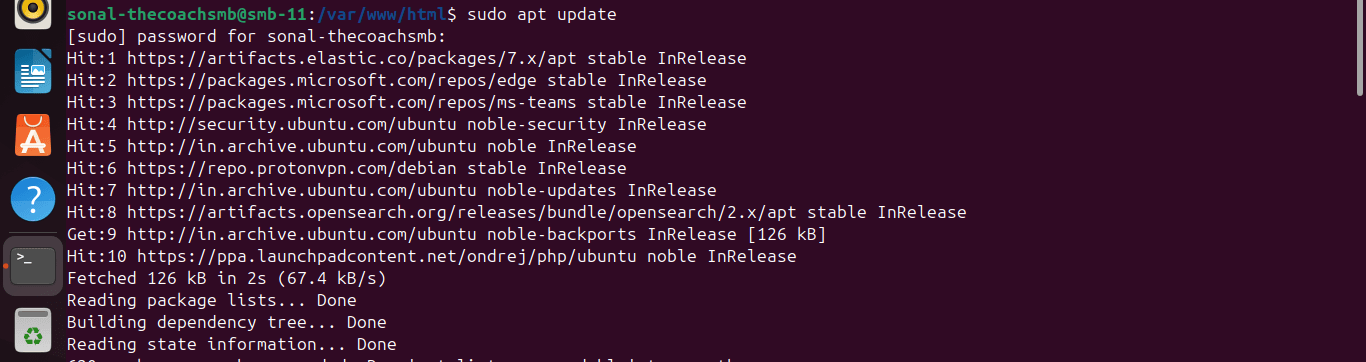
Step 1: Update Ubuntu
sudo apt update
sudo apt upgrade -y
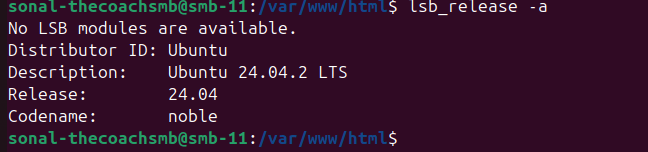
Verify Ubuntu version:
lsb_release -a
Expected output:
Ubuntu 24.04 LTS
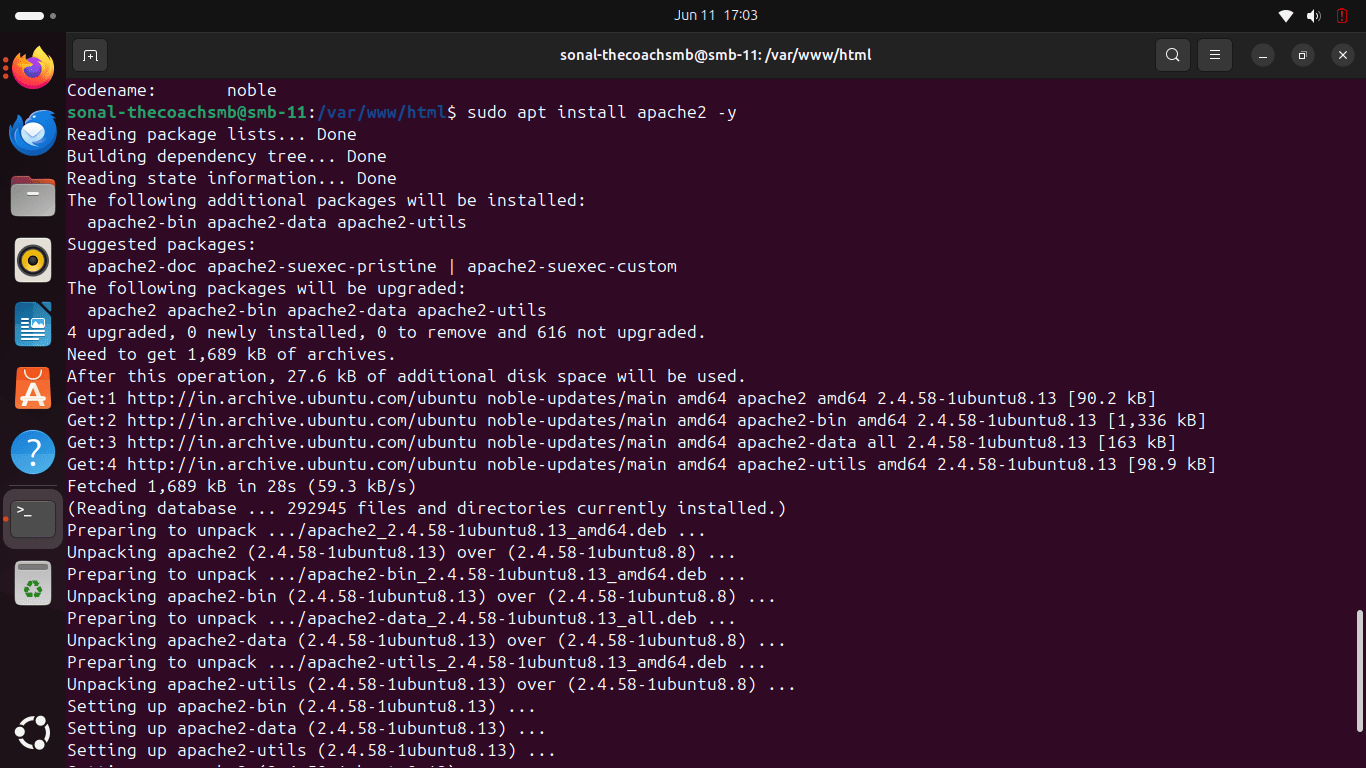
Step 2: Install Apache
sudo apt install apache2 -y
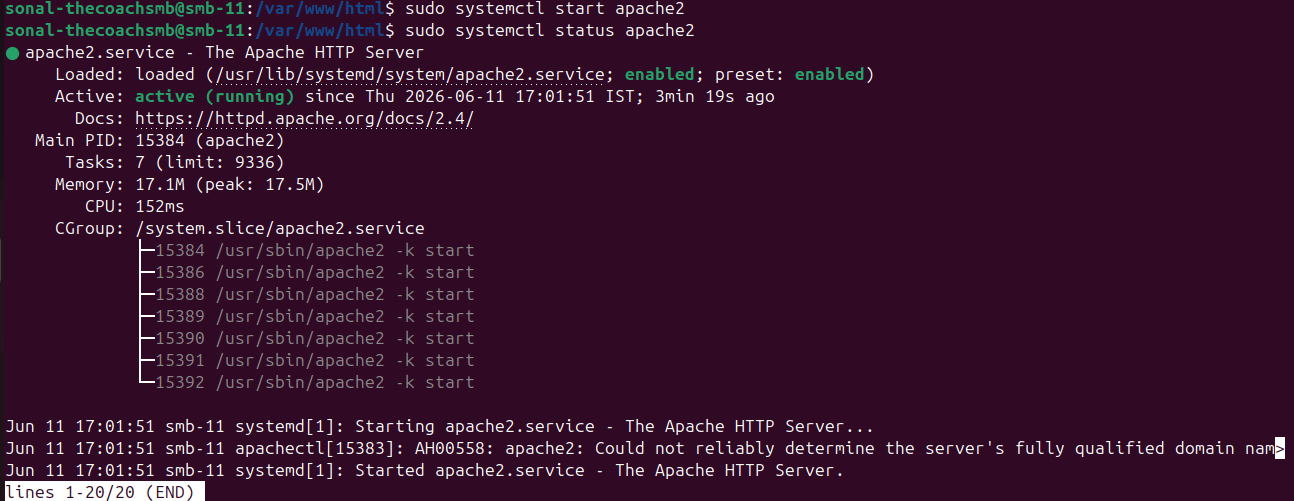
Enable Apache:
sudo systemctl enable apache2
 sudo systemctl start apache2
Verify:
sudo systemctl status apache2
Step 3: Install PHP 8.5
Add PHP repository:
sudo add-apt-repository ppa:ondrej/php -y
sudo apt update
Install PHP 8.5:
sudo apt install php8.5 \
php8.5-cli \
php8.5-common \
php8.5-mysql \
php8.5-curl \
php8.5-gd \
php8.5-intl \
php8.5-bcmath \
php8.5-soap \
php8.5-xml \
php8.5-mbstring \
php8.5-zip \
php8.5-fpm \
php8.5-xsl \
php8.5-sockets -y
Verify:
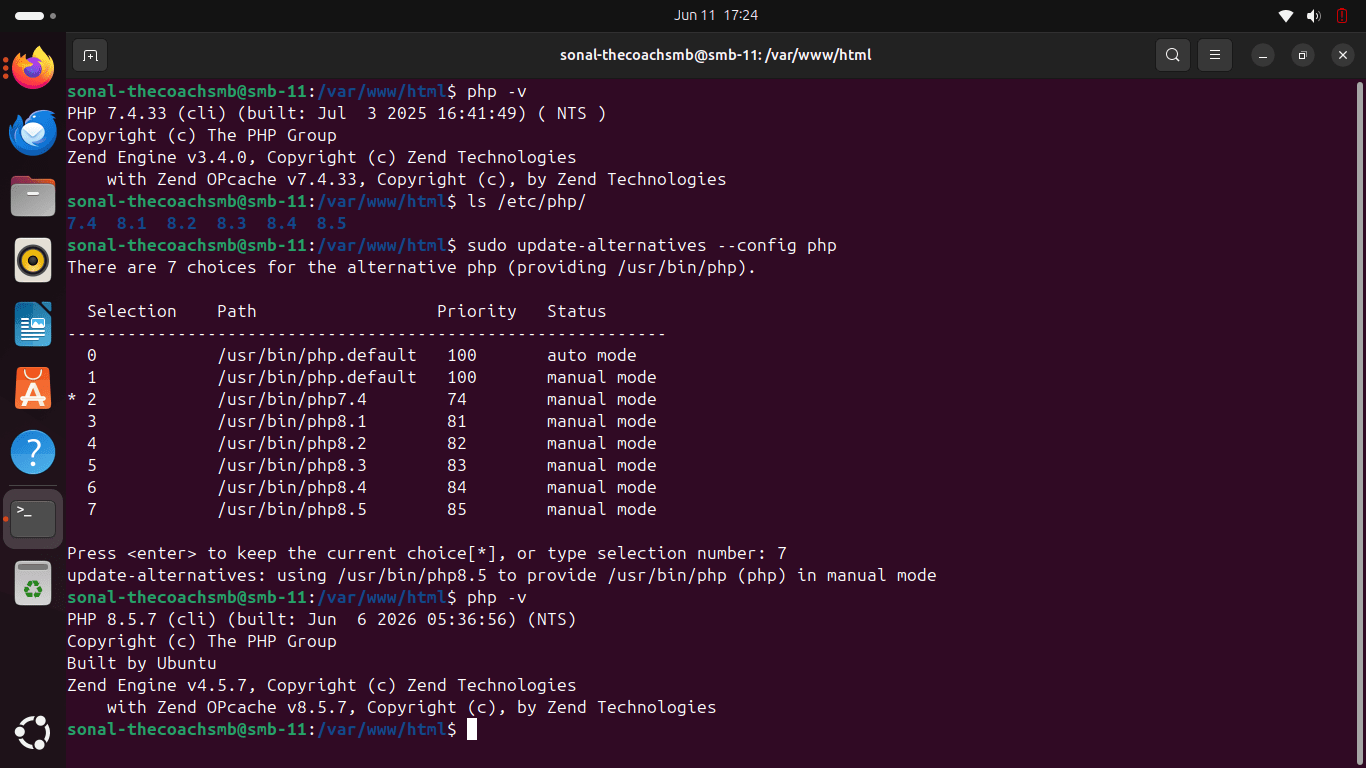
php -v
Expected:
PHP 8.5.xIf not, then run this commandls /etc/php/and thensudo update-alternatives --config php
Step 4: Install MySQL 8.4 / MariaDB 12.3
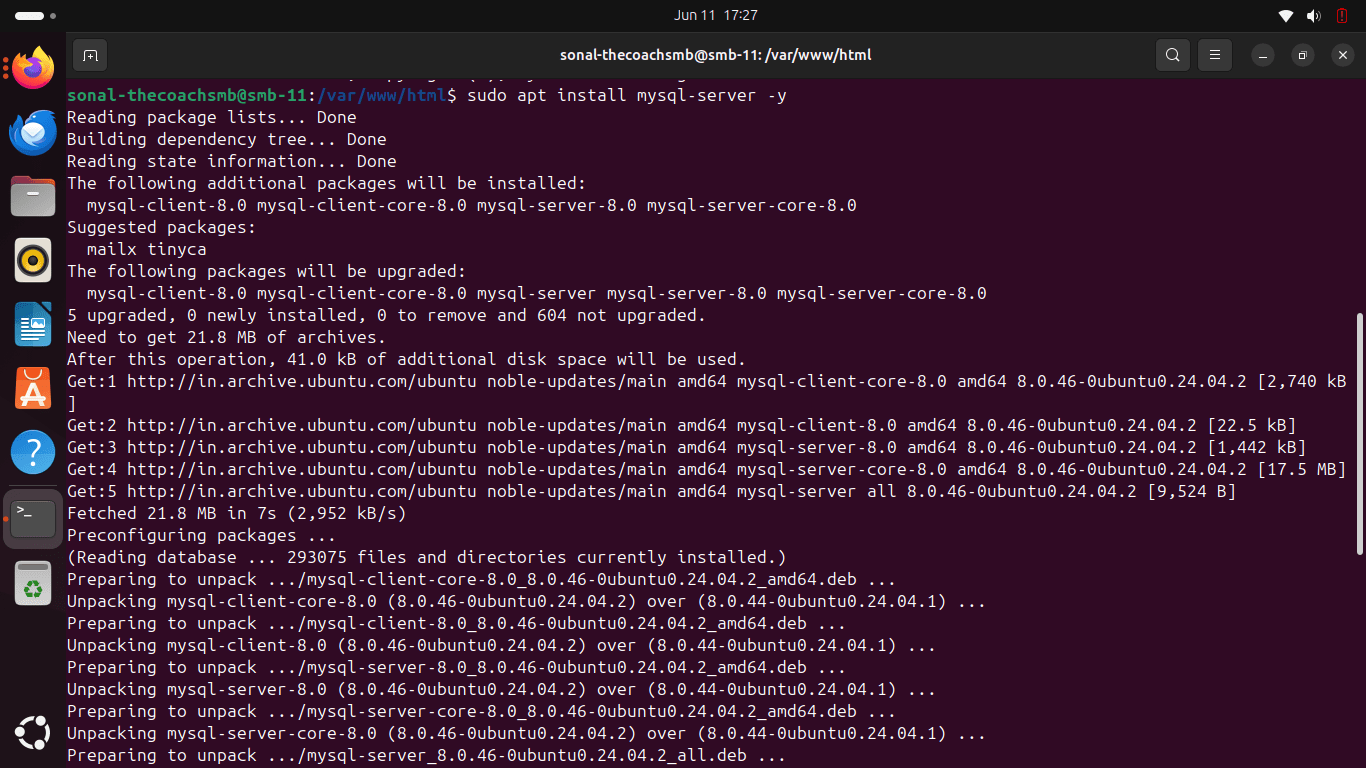
Install MySQL:
sudo apt install mysql-server -y
Verify:
mysql --version

Step 5: Create Magento Database
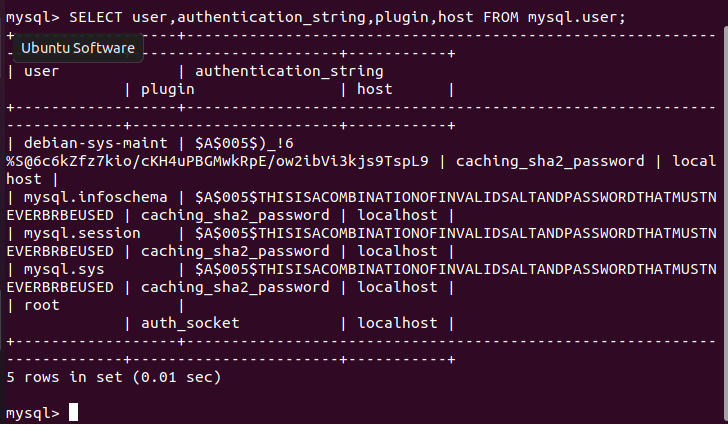
Configure Password Access for the MySQL Root Account
Login with root user.
SELECT user,authentication_string,plugin,host FROM mysql.user;
Note: Replace ‘your_secure_password‘ with your password. |
ALTER USER 'root'@'localhost' IDENTIFIED WITH mysql_native_password BY 'your_secure_password';
exit
Step 6: Install OpenSearch 3
Magento 2.4.9 supports OpenSearch 3.
Install OpenSearch following the OpenSearch installation guide.
After installation verify:
curl -X GET http://localhost:9200
Expected output:
{
  "name" : "opensearch-node"
}
Step 7: Install Composer 2.10
Download Composer:
curl -sS https://getcomposer.org/installer | php
Move globally:
sudo mv composer.phar /usr/local/bin/composer
Verify:
composer --version
Step 8: Download Magento 2.4.9
Move to web root:
cd /var/www/html
Install Magento:
composer create-project \
--repository-url=https://repo.magento.com/ \
magento/project-community-edition magento249
Magento Open Source
Enter your Magento Marketplace Public Key and Private Key when prompted.
Step 9: Configure Apache Virtual Host
Create configuration:
sudo nano /etc/apache2/sites-available/magento.conf
Add:
<VirtualHost *:80>
    ServerName magento.local
    DocumentRoot /var/www/html/magento249/pub

    <Directory /var/www/html/magento249/pub>
        AllowOverride All
        Require all granted
    </Directory>
</VirtualHost>
Enable configuration:
sudo a2ensite magento.conf
sudo a2enmod rewrite
sudo systemctl restart apache2
Step 10: Configure Magento Permissions
Navigate to Magento root:
cd /var/www/html/magento249
Set ownership:
sudo chown -R www-data:www-data .
Set permissions:
find var generated vendor pub/static pub/media app/etc -type f -exec chmod g+w {} +
find var generated vendor pub/static pub/media app/etc -type d -exec chmod g+ws {} +
chmod u+x bin/magento
Step 11: Install Magento 2.4.9
Run installation:
php bin/magento setup:install \
--base-url=http://magento.local \
--db-host=localhost \
--db-name=magento \
--db-user=magento_user \
--db-password=StrongPassword123 \
--admin-firstname=Sonal \
--admin-lastname=Admin \
--admin-email=admin@example.com \
--admin-user=admin \
--admin-password=Admin@123456 \
--language=en_US \
--currency=USD \
--timezone=Asia/Kolkata \
--use-rewrites=1 \
--search-engine=opensearch \
--opensearch-host=localhost \
--opensearch-port=9200
Installation may take several minutes.
Step 12: Deploy Static Content
php bin/magento setup:static-content:deploy -f
Step 13: Reindex Magento
php bin/magento indexer:reindex
Step 14: Flush Cache
php bin/magento cache:flush
Verify Magento Installation
Frontend:
http://magento.local
Admin:
http://magento.local/admin
Common Magento Installation Errors
Error: Permission Denied
Fix:
sudo chown -R www-data:www-data /var/www/html/magento249
Error: Missing PHP Extension
Install required extension:
sudo apt install php8.5-xml php8.5-soap php8.5-intl php8.5-gd
Restart Apache:
sudo systemctl restart apache2
Error: Composer Memory Limit
Fix:
php -d memory_limit=-1 /usr/local/bin/composer install
Error: OpenSearch Connection Failed
Verify:
curl http://localhost:9200
Restart OpenSearch service.
Error: Blank Page After Installation
Enable developer mode:
php bin/magento deploy:mode:set developer
Review logs:
tail -f var/log/system.log
What’s New in Magento 2.4.9?
Magento Open Source 2.4.9 introduces:
- PHP 8.5 support
- OpenSearch 3 support
- Symfony 7.4 LTS support
- Composer 2.9 compatibility
- Valkey 9 support
- Improved security and platform stability
- Hundreds of bug fixes and performance enhancements
Conclusion
Magento 2.4.9 is a significant platform update that prepares Magento stores for modern PHP, OpenSearch, and infrastructure requirements. Installing Magento 2.4.9 on Ubuntu 24.04 LTS provides a stable and future-ready development environment.
If you’re planning a Magento upgrade, migration, custom development, performance optimization, or ongoing Magento support, ensure your infrastructure aligns with Magento 2.4.9 requirements from the beginning.
Frequently Asked Questions
Is Ubuntu 24.04 supported for Magento 2.4.9?
Yes. Ubuntu 24.04 LTS is an excellent choice for Magento 2.4.9 deployments.
Does Magento 2.4.9 require OpenSearch?
Yes. OpenSearch is the supported search engine for Magento 2.4.9.
Which PHP version is recommended for Magento 2.4.9?
PHP 8.5 is the latest supported version and recommended for new installations.
Can I install Magento 2.4.9 on localhost?
Yes. Magento can be installed locally for development and testing purposes.
How much RAM is required?
A minimum of 4 GB is required, but 8 GB or more is recommended for smooth development and production performance.