
-
Jun, Thu, 2026

How to Install OpenSearch 3 for Magento 2.4.9 on Ubuntu 24.04 LTS
Table of Contents
Introduction
Magento 2.4.9 uses OpenSearch as its primary search engine for catalog search, layered navigation, autocomplete, and product discovery.
Without a properly configured OpenSearch server, Magento installation will fail, and search functionality will not work correctly.
In this step-by-step guide, you’ll learn how to install OpenSearch 3 on Ubuntu 24.04 LTS and configure it for Magento 2.4.9.
What is OpenSearch?
OpenSearch is an open-source search and analytics engine based on Elasticsearch.
Magento uses OpenSearch to:
- Power catalog search
- Improve product filtering
- Support layered navigation
- Deliver faster search results
- Handle large product catalogs efficiently
Starting with Magento 2.4.x, OpenSearch has become the recommended search engine.
Magento 2.4.9 OpenSearch Requirements
Before installation, ensure your server meets the following requirements:
| Component | Version |
|---|---|
| Ubuntu | 24.04 LTS |
| Magento | 2.4.9 |
| OpenSearch | 3 |
| RAM | Minimum 4 GB |
| Java | OpenSearch bundled JDK |
Recommended:
- 8 GB RAM
- SSD Storage
- Dedicated VPS or Cloud Server
Step 1: Update Ubuntu
Update your server packages:
sudo apt update
sudo apt upgrade -y
Step 2: Download OpenSearch 3
Navigate to the temporary directory:
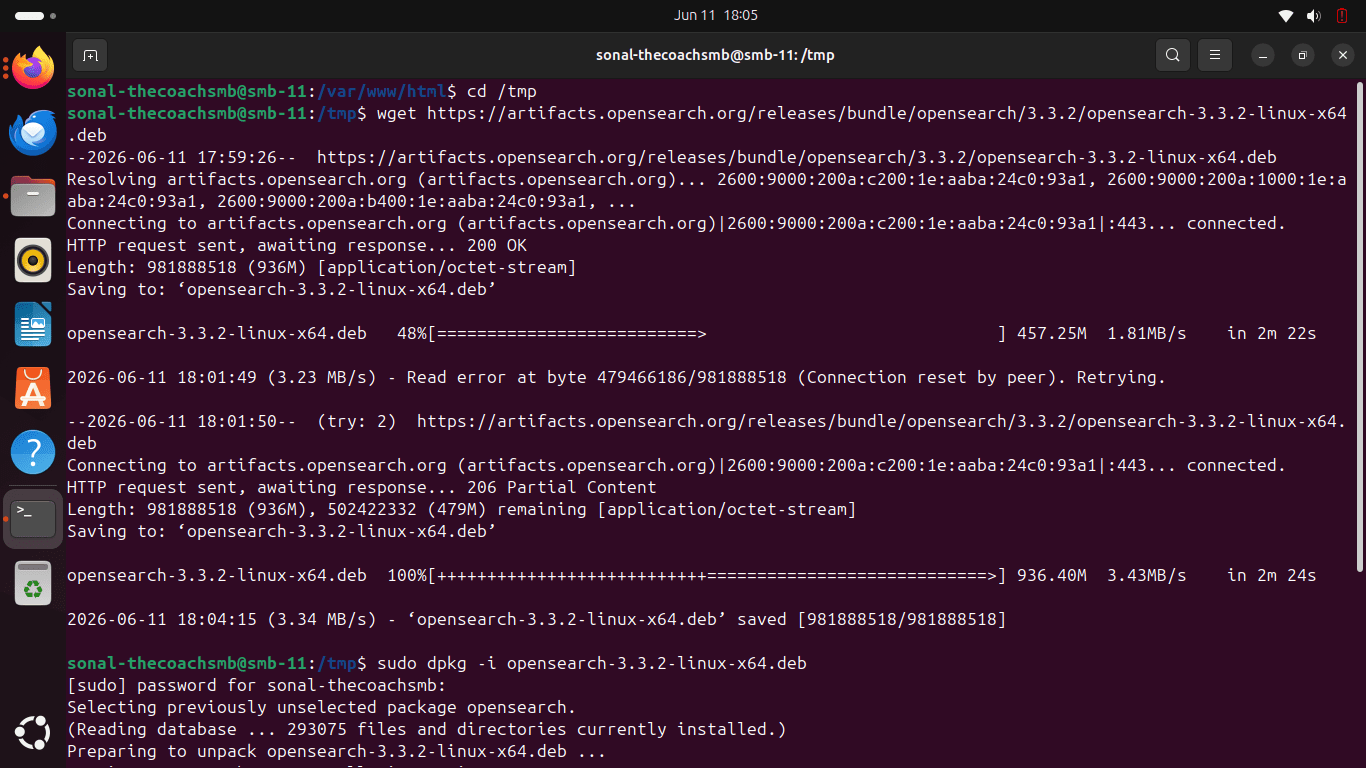
cd /tmp
Download the latest OpenSearch package:
wget https://artifacts.opensearch.org/releases/bundle/opensearch/3.3.2/opensearch-3.3.2-linux-x64.deb
Note:
Always verify the latest available OpenSearch 3 package before installation.
Step 3: Install OpenSearch
Install the downloaded package:
export OPENSEARCH_INITIAL_ADMIN_PASSWORD='Sonal@123456'
echo "$OPENSEARCH_INITIAL_ADMIN_PASSWORD"
sudo dpkg -i opensearch-3.3.2-linux-x64.deb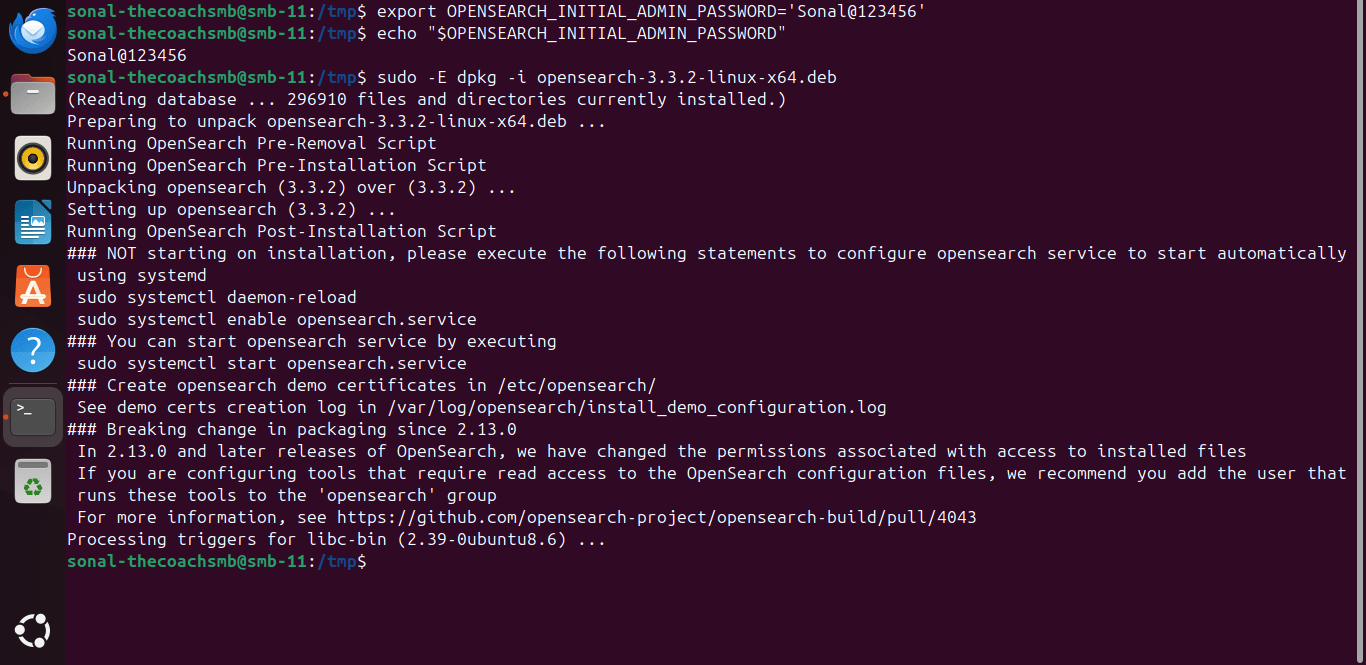
If dependency issues occur:
sudo apt --fix-broken install
Step 4: Configure OpenSearch
Open configuration file:
sudo nano /etc/opensearch/opensearch.yml
Locate:
network.host:
Change to:
network.host: 127.0.0.1
Set cluster name:
cluster.name: magento-cluster
Set node name:
node.name: magento-node
Save the file.
Step 5: Configure JVM Memory
Open:
sudo nano /etc/opensearch/jvm.options
Locate:
-Xms1g
-Xmx1g
For a server with 8 GB RAM:
-Xms2g
-Xmx2g
For a server with 16 GB RAM:
-Xms4g
-Xmx4g
A good practice is to allocate approximately 50% of available memory to OpenSearch.
Step 6: Start OpenSearch
Enable service:
sudo systemctl enable opensearch
Start service:
sudo systemctl start opensearch
Verify status:
sudo systemctl status opensearch
Expected:
active (running)
Step 7: Verify OpenSearch Installation
Run:
curl -X GET http://localhost:9200
Expected output:
{
  "name": "magento-node",
  "cluster_name": "magento-cluster"
}
This confirms OpenSearch is running successfully.
Step 8: Check OpenSearch Version
Verify version:
curl http://localhost:9200
Example output:
{
  "version": {
    "number": "3.x.x"
  }
}
Ensure the installed version is OpenSearch 3.
Step 9: Configure Firewall (Optional)
If OpenSearch needs external access:
sudo ufw allow 9200
For Magento servers, it is recommended to keep OpenSearch accessible only locally.
Configure Magento 2.4.9 with OpenSearch
During Magento installation:
php bin/magento setup:install \
--search-engine=opensearch \
--opensearch-host=localhost \
--opensearch-port=9200
Magento will connect directly to OpenSearch during installation.
Verify Magento OpenSearch Connection
After Magento installation:
Navigate to:
Stores → Configuration → Catalog → Catalog Search
Verify:
- Search Engine = OpenSearch
- Host = localhost
- Port = 9200
Click:
Test Connection
Expected:
Connection Success
Common OpenSearch Errors and Fixes
Error: OpenSearch Service Failed
Check logs:
sudo journalctl -u opensearch
Common causes:
- Insufficient RAM
- Incorrect JVM settings
- Configuration syntax errors
Error: Connection Refused
Verify service:
sudo systemctl status opensearch
Restart:
sudo systemctl restart opensearch
Error: Java Heap Space
Increase memory allocation:
-Xms2g
-Xmx2g
Restart service:
sudo systemctl restart opensearch
Error: Magento Cannot Connect to OpenSearch
Verify:
curl http://localhost:9200
Check:
- Host
- Port
- Firewall
- Service status
OpenSearch Performance Tips for Magento
For better performance:
- Use SSD storage
- Allocate sufficient RAM
- Enable Varnish
- Configure proper JVM memory
- Optimize Magento indexing
- Use production mode
These optimizations improve catalog search performance significantly.
Why Magento 2.4.9 Uses OpenSearch
Benefits include:
- Faster product searches
- Better scalability
- Improved layered navigation
- Better relevance scoring
- Enhanced search experience
- Future Magento compatibility
OpenSearch is now a critical component of modern Magento infrastructure.
Conclusion
Installing OpenSearch 3 is an essential step when setting up Magento 2.4.9 on Ubuntu 24.04 LTS.
A properly configured OpenSearch environment improves search performance, scalability, and overall user experience while ensuring compatibility with Magento’s latest requirements.
If you’re planning a Magento installation, upgrade, migration, or performance optimization project, make sure OpenSearch is configured correctly from the start.
Frequently Asked Questions
Does Magento 2.4.9 require OpenSearch?
Yes. OpenSearch is the supported search engine for Magento 2.4.9.
Which OpenSearch version is supported by Magento 2.4.9?
Magento 2.4.9 supports OpenSearch 3.
What port does OpenSearch use?
By default OpenSearch runs on port 9200.
How do I test OpenSearch?
Run:
curl http://localhost:9200
Can Magento run without OpenSearch?
No. Magento requires a supported search engine for catalog functionality.
Is OpenSearch free?
Yes. OpenSearch is open-source and free to use.