
No products in the cart.
- Published: Aug 31, 2026 | Updated: Aug 31, 2026

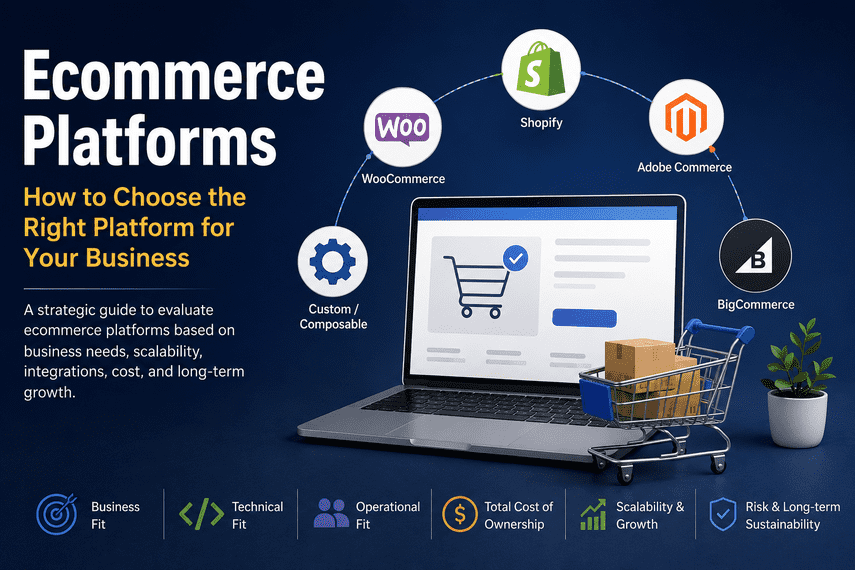
Ecommerce Platforms: How to Choose the Right Platform for Your Business
Table of Contents
Choosing an ecommerce platform is not simply a software decision. It is a business, technology, operations, and financial decision that can affect your ability to grow for years.
Shopify, WooCommerce, Adobe Commerce, BigCommerce, and other platforms can all run successful ecommerce businesses. The difficult part is not finding a platform that can sell products.
The difficult part is determining which platform fits your business model, customers, operations, technology requirements, team, budget, and growth plans.
This guide explains how to evaluate an ecommerce platform properly—including capabilities, scalability, performance, integrations, customization, total cost of ownership, operational complexity, and the long-term consequences of your decision.
What Is an Ecommerce Platform?
An ecommerce platform is the technology that enables a business to sell products or services online and manage the core processes surrounding those transactions.
Depending on the platform, this can include:
- Product and catalog management
- Shopping cart and checkout
- Payments
- Customer accounts
- Orders
- Promotions
- Inventory
- Shipping
- Tax
- Search
- Content management
- Analytics
- Marketing integrations
- Customer service integrations
- ERP, CRM, and PIM integrations
- Multi-store or international commerce
But an ecommerce platform is only one part of a modern ecommerce technology stack.
A typical business may have:
Customer → Storefront → Ecommerce platform → Payment → ERP → Inventory → Shipping → CRM → Marketing → Analytics
This distinction matters because many businesses evaluate platforms as if the platform itself is the entire ecommerce system.
It isn’t.
The platform sits inside a larger architecture.
The Most Important Question: What Does Your Business Need the Platform to Do?
One of the biggest mistakes businesses make when choosing an ecommerce platform is starting with a list of software features.
For example:
Does Shopify have this feature?
Does WooCommerce support this?
Can Magento do this?
That approach can lead to the wrong decision.
Start with the business instead.
Ask:
1. What are you selling?
- Physical products
- Digital products
- Subscriptions
- Services
- Wholesale products
- Configurable products
- Custom products
- Multiple product types
2. Who are your customers?
- Consumers
- Businesses
- Distributors
- Retailers
- Wholesalers
- Existing account customers
- International customers
3. How does the customer buy?
- Standard checkout
- Quote-based purchasing
- Negotiated pricing
- Purchase orders
- Sales-assisted purchasing
- Subscription
- Recurring orders
- Marketplace purchasing
4. How does the business operate?
- One warehouse
- Multiple warehouses
- Dropshipping
- Multiple suppliers
- Multiple countries
- Multiple currencies
- Multiple brands
- Multiple storefronts
5. What systems must connect?
- ERP
- CRM
- PIM
- WMS
- Accounting
- Payment gateways
- Shipping providers
- Marketplaces
- Marketing platforms
- Customer support
- Business intelligence
Only after answering these questions should you begin comparing platforms.
The Major Types of Ecommerce Platforms
There is no single “best” ecommerce platform.
Different platform architectures solve different problems.
1. SaaS Ecommerce Platforms
Examples include:
- Shopify
- BigCommerce
The software, hosting, infrastructure, security, and much of the underlying platform maintenance are managed by the vendor.
This can significantly reduce the technical burden on the merchant.
The trade-off is that the merchant generally has less control over the underlying infrastructure and platform architecture.
SaaS can be particularly attractive when a business wants to reduce operational complexity and focus internal resources on commerce rather than maintaining the underlying platform.
2. Open-Source Platforms
Examples include:
- WooCommerce
- Open-source ecommerce systems
- Other self-hosted commerce platforms
WooCommerce is built on WordPress and provides a highly customizable ecommerce foundation.
Open-source platforms can provide significant control over:
- Hosting
- Code
- Database
- Extensions
- Integrations
- Custom functionality
- Data
But that control comes with responsibility.
The business may also become responsible for:
- Hosting
- Security
- Updates
- Compatibility
- Backups
- Performance
- Plugin management
- Monitoring
- Development
- Troubleshooting
The software license price therefore tells you very little about the actual cost of operating the business.
3. Enterprise Commerce Platforms
Adobe Commerce, for example, is designed to support complex commerce requirements including multiple business models, international operations, B2B functionality, and extensive customization.
These platforms can make sense when a business has requirements that justify their greater complexity.
But complexity should be earned.
A business should not select an enterprise platform simply because it is more powerful.
More capability can also mean:
- More development
- More infrastructure
- More maintenance
- More integrations
- More testing
- More specialized expertise
- Higher implementation risk
The question is therefore not:
“Which platform is the most powerful?”
It is:
“Which capabilities are important enough to justify the complexity?”
Ecommerce Platform Comparison
The following is a useful starting point, but it should not be treated as a universal ranking.
| Platform | Best suited for | Strengths | Main consideration |
|---|---|---|---|
| Shopify | Businesses prioritizing simplicity, speed, and managed infrastructure | SaaS, ecosystem, checkout, operational simplicity | Less control over underlying infrastructure |
| WooCommerce | Businesses already invested in WordPress and wanting flexibility | Open source, WordPress ecosystem, extensibility | Hosting, plugins, maintenance, and architecture become your responsibility |
| Adobe Commerce | Complex B2B/B2C and highly customized commerce operations | Flexibility, complex catalogs, multi-store, B2B, customization | Higher technical and operational complexity |
| BigCommerce | Mid-market and enterprise businesses wanting SaaS with broader commerce capabilities | SaaS, APIs, B2B capabilities, extensibility | Must evaluate platform fit against specific business requirements |
| Custom / Composable | Businesses with genuinely unusual or strategically important requirements | Maximum flexibility and architectural control | Highest complexity, cost, and organizational requirements |
Current market data illustrates why there is no single dominant answer for every merchant: W3Techs’ August 2026 data shows WooCommerce and Shopify as the most widely used ecommerce systems in its monitored set, while Adobe Commerce has a much smaller overall footprint.
That market-share information is useful context—but it should not determine your platform decision.
Popularity is not the same thing as suitability.
Shopify: When Does It Make Sense?
Shopify’s biggest strategic advantage is not simply that it is easy to use.
Its deeper advantage is the amount of infrastructure and platform responsibility it abstracts away from the merchant.
Shopify provides hosted infrastructure, security features, themes, apps, payments, and sales-channel capabilities within its ecosystem.
This can allow a business to spend more of its resources on:
- Merchandising
- Marketing
- Customer experience
- Product
- Operations
- Growth
rather than maintaining commerce infrastructure.
Shopify can be particularly attractive when:
- You want managed infrastructure.
- Your requirements fit the platform’s capabilities.
- You want to launch quickly.
- You want a large application ecosystem.
- Your internal technical team is small.
- You want to reduce infrastructure responsibility.
But Shopify is not automatically the right answer.
You still need to investigate:
- Integration requirements
- Data requirements
- Checkout requirements
- Complex pricing
- B2B workflows
- Multi-store architecture
- International operations
- Custom functionality
- App dependency
- Platform limitations
A managed platform can reduce one type of complexity while introducing another.
WooCommerce: When Does It Make Sense?
WooCommerce is particularly interesting for businesses that already rely heavily on WordPress.
Its greatest strength is flexibility.
You can control the:
- WordPress environment
- Hosting
- Code
- Plugins
- Theme
- Database
- Integrations
That can be extremely valuable.
But flexibility has a cost.
A WooCommerce business can gradually accumulate:
- Plugins
- Custom code
- Theme modifications
- Hosting configurations
- Third-party integrations
- Performance dependencies
- Security responsibilities
The platform itself may appear inexpensive, but the entire technology stack can become complicated.
This is why “WooCommerce is free” is not a meaningful statement about the total cost of running a WooCommerce business.
Adobe Commerce / Magento: When Does It Make Sense?
Adobe Commerce, formerly associated with Magento, remains relevant when a business has complex commerce requirements that justify a more sophisticated platform.
Examples can include:
- Complex catalogs
- B2B pricing
- Multiple websites
- Multiple stores
- Multiple countries
- Complex customer groups
- Advanced promotions
- Custom workflows
- Extensive integrations
- ERP connectivity
- Highly customized business processes
Adobe describes the platform as supporting multiple business models and complex multi-brand or international operations.
The mistake is to interpret that as:
“Magento is better because it can do more.”
That’s not necessarily true.
A more capable platform can be worse for a particular business if the business doesn’t need its capabilities.
The question is whether the additional flexibility produces enough business value to justify the additional complexity.
BigCommerce: Where Does It Fit?
BigCommerce takes a SaaS approach while providing a broader set of commerce capabilities and APIs for businesses that need more flexibility than a basic hosted storefront.
It is therefore worth considering when a business wants:
- Managed infrastructure
- Strong ecommerce functionality
- B2B capabilities
- API-driven integrations
- Multi-channel commerce
- Greater flexibility than simpler storefront solutions
As with every platform, the decision should come from the requirements rather than the platform’s marketing position.
What About Custom Ecommerce Platforms?
A custom platform can sound attractive:
“We can build exactly what we need.”
Sometimes that is correct.
But custom technology creates a long-term responsibility.
You aren’t only building software.
You are building:
- Infrastructure
- Security processes
- Deployment processes
- Monitoring
- Upgrade processes
- Integration maintenance
- Development capability
- Documentation
- Testing
- Disaster recovery
- Technical knowledge
The real question is:
Does the custom technology create enough competitive advantage to justify owning all of this complexity?
If the answer is no, buying or using an existing platform is often strategically better.
The Six Dimensions You Should Use to Evaluate an Ecommerce Platform
Instead of comparing hundreds of features, evaluate the platform across six dimensions.
1. Business Fit
Can the platform support the way you actually sell?
Consider:
- Product model
- Pricing
- Customers
- B2B/B2C
- Subscriptions
- Regions
- Channels
- Promotions
- Order workflows
A platform can have thousands of features and still be a poor fit for your business model.
2. Technical Fit
Evaluate:
- APIs
- Integrations
- Data model
- Extensibility
- Customization
- Hosting
- Performance
- Security
- Scalability
- Deployment
- Monitoring
This is where technical expertise becomes important.
But remember:
technical flexibility is valuable only when the business needs it.
3. Operational Fit
Ask:
Can our team actually operate this platform successfully?
Consider:
- Who manages it?
- Who updates it?
- Who monitors it?
- Who fixes problems?
- Who manages integrations?
- Who owns security?
- How dependent are we on developers?
- How dependent are we on an agency?
This is one of the most overlooked platform-selection questions.
A technically excellent platform can become a poor business decision if your organization cannot operate it effectively.
4. Financial Fit
Never compare platforms using subscription or license cost alone.
Calculate Total Cost of Ownership (TCO).
A useful model is:
TCO = Platform + Implementation + Hosting + Development + Apps + Integrations + Maintenance + Security + Operations + Migration + Opportunity Cost
For example, an open-source platform may have low software costs but significant expenses elsewhere.
Likewise, a SaaS platform may have higher recurring platform fees but lower infrastructure and maintenance costs.
The important number is not:
“What does the platform cost?”
It is:
“What will this commerce architecture cost us over the next 3–5 years?”
TCO should also include less obvious expenses such as training, integrations, migration, staffing, downtime risk, and eventual exit costs.
5. Growth Fit
Don’t ask only:
“Can this platform handle our current business?”
Ask:
“Can this platform support where we are going?”
Consider:
- Order volume
- Catalog growth
- Customer growth
- International expansion
- New sales channels
- B2B
- New brands
- New warehouses
- New integrations
- New business models
But avoid designing for an imaginary future.
Over-engineering a $1 million business for a hypothetical $100 million future can be just as damaging as choosing a platform that cannot scale.
Design for the credible next stage of growth, not an imaginary one.
6. Strategic Fit
This is the dimension most platform comparison articles miss.
Ask:
Will this platform help or hinder our strategy?
For example:
If your competitive advantage is:
fast experimentation
you may prioritize flexibility and speed.
If your advantage is:
complex B2B workflows
you may prioritize commerce capabilities and integration depth.
If your advantage is:
content and community
WordPress + WooCommerce might be attractive.
If your advantage is:
operational simplicity
a managed SaaS platform may make more sense.
The platform should support the strategy.
It should not become the strategy.
Total Cost of Ownership Matters More Than Platform Price
Imagine two platforms.
Platform A
$500/month platform cost.
But:
- $40,000 implementation
- $2,000/month development
- $1,000/month hosting
- $1,000/month maintenance
Platform B
$2,000/month platform cost.
But:
- $15,000 implementation
- $500/month maintenance
- minimal infrastructure management
Platform B looks more expensive on the pricing page.
It may actually be significantly cheaper over three years.
This is why ecommerce platform decisions should be evaluated using a 3–5 year financial model, not a monthly subscription comparison.
The Hidden Cost of Complexity
One of the most important concepts in ecommerce technology is complexity debt.
Every additional:
- Plugin
- App
- Custom module
- Integration
- API
- Middleware
- Theme customization
- Database modification
- External service
creates another dependency.
Individually, each may seem reasonable.
Collectively, they can create a system that becomes difficult to understand and expensive to change.
This is why adding functionality should always trigger another question:
What complexity are we introducing to get this capability?
A feature isn’t free simply because you can install it with one click.
Ecommerce Platform vs Ecommerce Technology Stack
Your platform is not your entire architecture.
A mature ecommerce business may have:
                 CUSTOMER
                    │
                    ↓
              STOREFRONT
                    │
                    ↓
            ECOMMERCE PLATFORM
             /       |       \
            /        |        \
         ERP        CRM       PIM
          │          │         │
          ↓          ↓         ↓
      OPERATIONS   MARKETING  CATALOG
                    │
                    ↓
              ANALYTICS / BI
This is why platform selection should happen at the architecture level.
If your ERP, PIM, CRM, warehouse, marketplace, and payment systems cannot work effectively with the platform, an attractive storefront won’t solve the underlying problem.
Performance: Don’t Choose a Platform by Benchmark Alone
Performance matters.
But platform benchmarks can be misleading.
A platform does not automatically determine the performance of a particular store.
Performance can depend on:
- Theme
- Frontend implementation
- Images
- JavaScript
- Apps/plugins
- Database
- Queries
- APIs
- Hosting
- CDN
- Caching
- Third-party services
- Architecture
- Traffic patterns
Platform-level performance research can provide useful context, but it shouldn’t replace testing the actual implementation.
Shopify, for example, publishes comparisons using Core Web Vitals data across major ecommerce platforms.
The correct question is:
Can this platform and our implementation deliver the performance our business requires?
The Plugin and App Trap
One of the reasons modern platforms are powerful is their ecosystem.
Need:
- Reviews?
- Search?
- Email?
- Loyalty?
- Subscriptions?
- Analytics?
- CRM?
- Shipping?
There may be an app or plugin.
That’s useful.
But every additional extension can introduce:
- Cost
- Performance impact
- Security risk
- Compatibility risk
- Data duplication
- Vendor dependency
- Upgrade problems
- Operational complexity
So don’t ask:
“Does this platform have an app for it?”
Ask:
“Is this capability important enough to introduce another dependency?”
That is a much more mature technology question.
When Should You Change Ecommerce Platforms?
This is one of the most important questions.
A business should not migrate simply because:
- A competitor uses another platform.
- A new platform is trending.
- The existing platform is unfashionable.
- Another agency recommends it.
- The current website looks old.
- A platform has a newer feature.
Migration is expensive and risky.
You should seriously consider replatforming when the existing platform creates a persistent strategic constraint.
For example:
1. The platform prevents important business capabilities.
2. Technical debt has become structurally expensive.
3. Operating costs are disproportionately high.
4. The platform cannot support credible growth plans.
5. Required integrations are becoming unsustainable.
6. Development velocity is too slow.
7. Security or reliability risk has become unacceptable.
8. The organization no longer has the capability to operate the platform effectively.
But before migrating, ask:
Can we solve the problem without migrating?
Sometimes the correct answer is optimization.
Sometimes it is architecture improvement.
Sometimes it is removing unnecessary complexity.
And sometimes it really is migration.
Replatforming Is Not a Technology Project
This is a crucial distinction.
A replatforming project can affect:
- Revenue
- SEO
- Customers
- Orders
- Products
- URLs
- Analytics
- Integrations
- Operations
- Employees
- Partners
So the project should be treated as a business transformation project, not merely a website rebuild.
A technically successful migration can still be a business failure if:
- SEO traffic declines
- conversion drops
- integrations fail
- customers cannot log in
- orders are lost
- operational workflows break
- internal teams cannot operate the new system
The objective is not:
Launch the new website.
The objective is:
Improve the business without damaging the existing business.
A Practical Ecommerce Platform Selection Framework
Before choosing a platform, score each candidate from 1–5 across these areas:
| Evaluation area | Weight |
|---|---|
| Business model fit | 20% |
| Integration/architecture fit | 15% |
| Total cost of ownership | 15% |
| Operational simplicity | 15% |
| Performance & scalability | 10% |
| Customization/extensibility | 10% |
| Team capability | 5% |
| Migration/exit risk | 5% |
| Vendor/ecosystem strength | 5% |
Then calculate:
Weighted Score = Score × Importance
But don’t blindly choose the highest score.
Use the score to expose trade-offs.
The final decision should combine:
Quantitative analysis + technical assessment + business judgment.
A Better Way to Think About Ecommerce Platforms
Instead of asking:
Which ecommerce platform is best?
Ask these five questions:
Question 1
What does our business need to accomplish?
Question 2
What capabilities does the technology need to provide?
Question 3
What level of complexity can our organization realistically operate?
Question 4
What will the entire architecture cost over 3–5 years?
Question 5
Will this technology help us execute our strategy faster or slower?
If you can answer those questions clearly, platform selection becomes much easier.
There Is No Perfect Ecommerce Platform
Every platform represents a set of trade-offs.
SaaS trades some control for simplicity.
Open source trades operational responsibility for control.
Enterprise platforms trade additional complexity for advanced capabilities.
Custom systems trade almost everything for maximum control and differentiation.
The goal isn’t to eliminate trade-offs.
The goal is to choose the trade-offs your business can live with.
Final Recommendation
If you are selecting an ecommerce platform today, don’t start with:
“Which platform is the best?”
Start with:
“What is the simplest technology architecture that can support our business today and our credible growth over the next 3–5 years?”
That question usually produces a better decision.
A good ecommerce platform should:
- Support your business model
- Enable your customer experience
- Integrate with your operational systems
- Perform reliably
- Scale appropriately
- Fit your team’s capabilities
- Have a sustainable total cost of ownership
- Allow the business to evolve
- Avoid unnecessary complexity
And most importantly:
Your ecommerce platform should serve the business—not become the business.
Technology is an enabler of commerce.
The objective is not to own the most sophisticated technology.
The objective is to build a commerce operation that can grow profitably, serve customers well, and adapt as the business changes.
How TheCoachSMB Evaluates Ecommerce Platforms
At TheCoachSMB, we believe platform selection should begin with the business rather than with a feature checklist.
Before recommending a platform or migration, we would look at:
Business model → Customer journey → Operations → Integrations → Technology → Cost → Growth → Risk
Only then should the platform decision be made.
If you’re considering a new ecommerce platform—or wondering whether your existing platform is holding your business back—the first step isn’t necessarily migration.
The first step is diagnosis.
Understand what is actually limiting the business before deciding what technology should replace it.