-
Aug, Wed, 2026

When Should You Upgrade Magento? 7 Warning Signs Your Store Can’t Ignore
Most Magento merchants don’t upgrade because they’re excited about new features.
They upgrade because something breaks, a payment gateway stops behaving, a hosting provider starts warning about PHP versions, or a security issue becomes impossible to ignore.
That’s the pattern I’ve seen repeatedly. A store runs well enough for months or even years so the upgrade gets pushed to “next quarter.” Meanwhile, small problems start accumulating in the background. A warning in the admin panel. A slower dashboard. An extension that no longer receives updates.
Individually, none of those feels urgent.
Together, they’re often the earliest signs that your Magento store is drifting further away from what the platform is designed to support.
The good news is that Magento usually gives you clues long before a major outage or security incident occurs. You just have to know what to look for.
Quick Answer: Is It Time to Upgrade Magento?
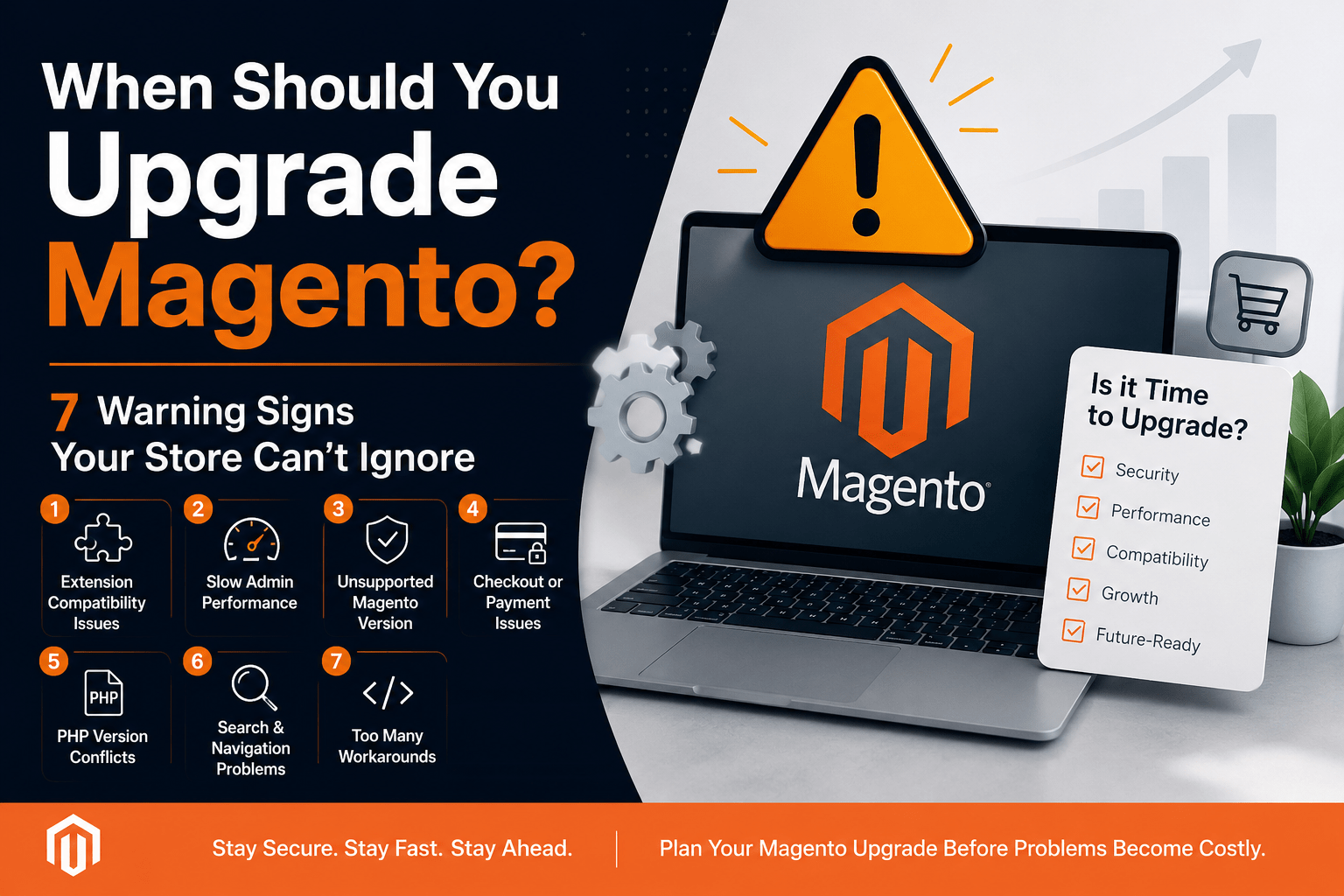
If your store shows three or more of the following signs, it’s worth scheduling a Magento upgrade assessment.
- Extension compatibility problems
- Slow Magento admin performance
- An unsupported Magento version
- Checkout or payment gateway errors
- PHP version conflicts
- Search or layered navigation issues
- Increasing reliance on developer workarounds
Why Store Owners Wait Too Long
One of the biggest misconceptions about Magento upgrades is that there will be a single obvious moment when it becomes necessary.
In reality, most stores don’t fail dramatically overnight. They become slightly harder to maintain every month. Teams adapt to the friction, and because sales continue coming in, the underlying technical debt gets deprioritized.
By the time the problem becomes visible to customers, the upgrade is usually more expensive and more urgent than it would have been six months earlier.
- Extensions Are Throwing Warnings You’ve Started Ignoring
This is often the first sign.
A deprecation warning appears in the logs. An extension stops receiving updates. A plugin that once worked flawlessly begins generating compatibility notices.
Most teams treat these as background noise because nothing has actually broken yet.
The problem is that deprecation warnings are rarely cosmetic. They usually indicate that your store depends on functionality that will eventually disappear in a future Magento or PHP release. What starts as a warning today can become a broken checkout flow, product filter, or shipping integration later.
- Your Magento Admin Panel Has Become Noticeably Slower
Not the storefront the admin.
If saving products takes longer than it used to, bulk actions time out, or the dashboard feels sluggish every morning, that’s often a sign that indexing, database, or caching problems have accumulated over time.
Older Magento versions tend to handle that accumulated bloat less efficiently than newer releases.
A useful question is this: Has your team quietly changed the way it works to accommodate the slowness?
When people start avoiding certain admin tasks because they know they’ll take too long, the performance issue is already affecting productivity.
- Your Magento Version Is No Longer Receiving Security Patches
This is the warning sign that gets ignored the longest because it usually has no immediate symptoms.
A Magento version can continue functioning normally after its support window ends. The storefront looks the same. Orders continue processing.
What changes is your level of protection.
Adobe regularly releases security updates for supported Magento versions. Once your version is no longer supported, newly discovered vulnerabilities are often patched in newer releases but not in yours. The longer you remain on an unsupported version, the larger that security gap becomes.
- Checkout or Payment Gateways Are Behaving Inconsistently
A failed transaction here. A gateway timeout there. A customer reports a checkout problem that support can’t consistently reproduce.
These issues are easy to dismiss individually.
Collectively, they often point to compatibility problems between your Magento version and payment integrations that have evolved while your platform remained unchanged.
This is one of the most important warning signs because it affects revenue directly. A slow admin panel wastes time. An unsupported version increases risk. But a checkout that fails intermittently can cost completed sales and customer trust.
- Your Hosting Provider Keeps Warning You About PHP Versions
If your host has mentioned PHP end-of-life more than once, pay attention.
Magento versions are tightly tied to supported PHP ranges. Eventually, you can end up choosing between:
- Running an insecure server environment, or
- Staying on a Magento version that cannot support newer PHP releases
Neither is a good long-term strategy.
Stores that wait until the hosting provider forces a PHP upgrade often end up making Magento upgrade decisions under unnecessary time pressure.
- Search, Filters, or Layered Navigation Feel Inaccurate
Customers rarely complain about search quality directly.
They simply leave.
Slow search results, irrelevant products, broken filters, or category pages that struggle under load can all indicate that your search infrastructure is outdated or poorly optimized for your current Magento version.
If you’ve ever searched your own store and been surprised by the results, it’s worth investigating.
Search quality has a direct impact on conversion rates, especially for catalogs with hundreds or thousands of products.
- Your Developer Keeps Saying, “We Can Patch Around It”
This is often the most reliable warning sign because it comes from the people closest to the codebase.
There’s nothing wrong with temporary workarounds when they’re actually temporary.
The concern is when workarounds become the default approach.
If every new problem is solved with another override, compatibility patch, or custom workaround, it usually means the underlying platform has become increasingly difficult to maintain safely.
That isn’t necessarily a criticism of the developer.
It’s often the codebase telling you that the foundation needs attention.
How Many Warning Signs Do You Need?
One sign alone usually isn’t a crisis.
A slow admin panel by itself doesn’t mean your Magento store is in danger.
But three or four of these signs appearing together is often a strong indicator that the platform is approaching a higher-risk state.
The frustrating part is that many of these problems remain invisible to customers until they suddenly aren’t. That’s why upgrades are so often reactive instead of planned.
What Changes Once You Stop Treating Upgrades as Optional?
The stores that handle Magento upgrades well are rarely the ones with the newest technology.
They’re the ones that stop treating technical warnings as background noise and start treating them as useful information.
Once you shift the question from “Is this urgent yet?” to “What is my store actually telling me?” the decision becomes much easier.
A Magento upgrade doesn’t always need to happen immediately. But if several of these warning signs are already present, the smartest next step is usually a technical assessment reviewing extensions, custom code, PHP compatibility, and security support before a customer-facing problem forces the issue.
If you’re evaluating your options, these Magento upgrade services explain what a professional audit, compatibility review, staging-first testing process, and zero-downtime deployment strategy typically involve. An audit-first approach usually identifies extension conflicts, dependency issues, and infrastructure risks before any changes are made to your live store, which is why planned upgrades tend to be safer and less disruptive than emergency upgrades. SMB Tech Solution follows this audit-first, staging-first methodology for Magento upgrades, migrations, and recovery projects.
Frequently Asked Questions
How do I know if my Magento version is outdated?
Check your Magento version from the admin panel footer or by running bin/magento –version from the command line. More importantly, verify whether that version is still receiving Adobe security updates. A store running an unsupported version may continue working normally while becoming increasingly vulnerable to security and compatibility issues.
Can I upgrade Magento myself?
Technically, yes. If you’re comfortable with Composer, CLI upgrades, dependency management, and troubleshooting custom modules, an in-house upgrade is possible. The biggest risk is compatibility between third-party extensions and custom code, which is why many merchants perform a technical audit before attempting an upgrade.
Will upgrading Magento affect SEO?
A properly planned Magento upgrade should preserve SEO performance. Ranking problems usually occur when redirects, URL structures, canonical tags, meta data, or page speed are mishandled during the upgrade process. Testing these elements in a staging environment before launch is essential.
What happens if I keep delaying the upgrade?
Many stores operate on outdated versions for months without obvious problems. The risk is that security vulnerabilities, payment gateway changes, PHP deprecations, or extension compatibility issues eventually force an upgrade under emergency conditions. Planned upgrades are usually less expensive and less disruptive than emergency upgrades.
Will my theme and extensions still work after upgrading?
Some will, some won’t. The safest approach is to perform a compatibility review before starting the upgrade so unsupported or heavily customized extensions can be identified in advance. This allows replacements or updates to be planned before the live deployment.
Is Adobe Commerce different from Magento Open Source when it comes to upgrades?
The upgrade process is similar, but Adobe Commerce stores often include more custom modules, B2B features, and integrations, which increases the importance of thorough testing and compatibility validation.
Is there a way to check upgrade risk before committing to a Magento upgrade?
Yes. A Magento technical assessment can evaluate your current version, extensions, custom code, PHP compatibility, server environment, and security status before any upgrade work begins. This helps estimate upgrade complexity, identify potential conflicts, and reduce the risk of downtime during deployment.
About the Author
Sonal Motghare-Balpande is a Magento Certified Professional with over 14 years of experience helping eCommerce businesses upgrade, optimize, and maintain Magento and Adobe Commerce stores. She is the Founder of TheCoachSMB and SMB Tech Solution, where she helps merchants reduce technical risk and improve long-term eCommerce performance.