
No products in the cart.
- Published: Sep 06, 2026 | Updated: Sep 06, 2026

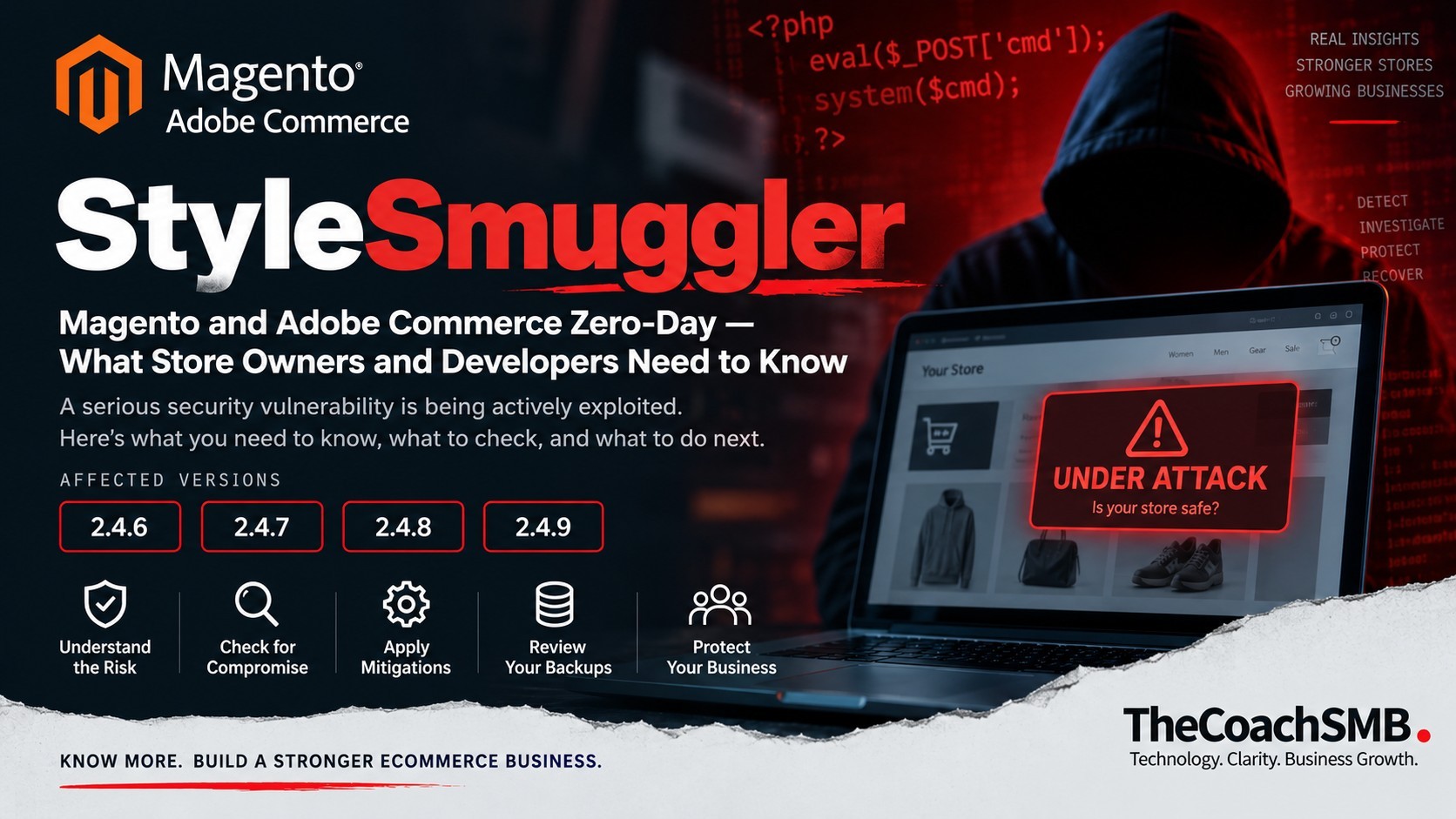
StyleSmuggler: Magento & Adobe Commerce Zero-Day — What Store Owners and Developers Need to Know
Table of Contents
A security incident like this isn’t just a developer problem. It’s a business risk.
If you own, operate, develop, or manage a Magento or Adobe Commerce store, you have probably seen the recent reports about StyleSmuggler.
Sansec, an ecommerce security research company, reported a newly discovered Magento and Adobe Commerce zero-day vulnerability capable of unauthenticated remote code execution and said attacks were already being observed in the wild. Sansec reported that attacks began on September 4, 2026.
What makes this incident especially important is not simply the technical vulnerability.
It is what the incident teaches us about how ecommerce businesses should think about technology risk.
A Magento store can be:
- Online
- Processing orders
- Fully patched according to its normal security process
- Generating revenue
…and still have serious security risk underneath.
That is the bigger lesson.
First: What Is StyleSmuggler?
StyleSmuggler is the name Sansec has given to a Magento and Adobe Commerce zero-day.
According to Sansec, the vulnerability allows an unauthenticated attacker to potentially achieve remote code execution through an attack involving Magento’s template system and styles properties.
The attack works in multiple stages.
At a high level, an attacker can:
- Inject malicious PHP code into Magento-generated content.
- Cause Magento to process that poisoned content.
- Trigger execution through a failed-payment email flow.
The important part isn’t the technical mechanism itself.
The important part is the potential result:
An attacker may be able to execute malicious code on the ecommerce server without first authenticating to Magento Admin.
Sansec published its technical research because stores were already being compromised.
Read Sansec’s original StyleSmuggler research
Which Magento Versions Are Involved?
Sansec reported that all current Magento versions are affected, including Magento 2.4.9.
Sansec specifically reproduced the complete unauthenticated attack chain on clean Magento Open Source installations running:
- Magento 2.4.7
- Magento 2.4.8
- Magento 2.4.9
Sansec also reported a confirmed victim running:
- Magento 2.4.6-p15
with the July and August 2026 security updates already applied and security:patch-status reporting clean.
That last point deserves attention.
Because it changes the conversation from:
“Are you patched?”
to:
“What else have you checked?”
The Part Every Store Owner Should Understand
If you’re a business owner, you don’t need to understand every line of the StyleSmuggler exploit.
You do need to understand the business implication.
Imagine your developer tells you:
“Your Magento security patches are up to date.”
That’s good.
But after StyleSmuggler, there are additional questions you should be asking.
Ask your technical team:
1. What exact Magento version are we running?
Don’t settle for “Magento 2.”
Know the exact version and security patch level.
2. Are we potentially exposed to StyleSmuggler?
Ask your technical team to evaluate the current Sansec and Adobe guidance.
3. Have we checked for signs of compromise?
This is different from checking whether Magento is patched.
4. Has the server been reviewed?
Magento security isn’t only about Magento files.
The operating system, processes, scheduled jobs, user accounts and server configuration matter too.
5. Are our backups trustworthy?
If the store were compromised today, could you restore it to a known-clean state?
6. Who is responsible for responding if something is detected?
This last question is often overlooked.
A Healthy Magento Store Is More Than a Patched Magento Store
This is where I believe ecommerce businesses need to change their thinking.
Many businesses treat Magento maintenance like this:
Update → Test → Done
But modern ecommerce infrastructure is much more complicated.
Your Magento store may connect to:
- Payment gateways
- ERP systems
- CRMs
- Shipping platforms
- Email platforms
- Analytics
- Marketing systems
- Customer accounts
- Product databases
- Inventory systems
- Third-party extensions
- External APIs
The ecommerce platform is therefore not just a website.
It is part of your business infrastructure.
When something goes wrong, the impact can be much larger than a technical bug.
It can affect:
Revenue → Customers → Operations → Data → Payments → Reputation
Why “Patched” Does Not Always Mean “Secure”
This is probably the most important lesson from StyleSmuggler.
Sansec reported that its first confirmed victim was running Magento 2.4.6-p15 with the July and August 2026 patches applied, and that the Magento security patch status was clean.
Again, this does not mean patching is unimportant.
Patching remains one of the most important parts of maintaining Magento.
But it demonstrates something equally important:
Patch management and compromise detection are two different activities.
A security patch attempts to close a vulnerability.
A compromise investigation asks:
“Has somebody already gotten in?”
Those are not the same question.
What Developers Should Be Checking
If you’re a Magento developer, agency, DevOps engineer or technical owner, this is where the conversation becomes more technical.
Sansec has published indicators of compromise associated with the StyleSmuggler campaign, including suspicious processes, files, cron activity and network indicators.
The investigation should therefore go beyond simply checking the Magento version.
Depending on the environment, technical teams should consider reviewing:
Magento application
- Core file integrity
- Recently modified PHP files
- Unexpected template changes
- Suspicious code
- Extension files
var/reportactivity- GraphQL-related activity
Server
- Running processes
- Recently created files
- Cron jobs
- User accounts
- SSH access
- File permissions
- Unexpected binaries
Network
- Unexpected outbound connections
- Suspicious destinations
- Unusual traffic patterns
- Connections from the Magento server that don’t match normal application behaviour
Magento administration
- New admin accounts
- Unexpected API integrations
- Access logs
- Authentication activity
- Unexpected configuration changes
Business activity
- Unusual failed-payment emails
- Unexpected customer-account activity
- Strange orders
- Payment anomalies
- Unexpected transactional behaviour
Sansec specifically notes that unexpected bursts of Magento’s failed-payment reminder emails can be a reason to investigate, although legitimate declined payments can generate the same messages.
So, as always:
An indicator is a reason to investigate—not proof of compromise by itself.
What If You Find Something Suspicious?
This is where businesses need to be careful.
Imagine your developer finds a suspicious PHP file.
The natural reaction might be:
“Delete it.”
That isn’t necessarily enough.
If an attacker has gained access to a server, the visible malicious file may only be one part of the compromise.
There could be:
- Additional backdoors
- Malicious cron jobs
- Modified files
- New users
- Compromised credentials
- Persistence mechanisms
- Database changes
- Suspicious processes
The objective should therefore not simply be:
Remove the suspicious file.
The objective should be:
Understand the attack, determine the scope of the compromise, remove persistence, rotate affected credentials and establish that the environment is clean.
That is an incident-response problem.
Don’t Make Emergency Changes Blindly
Another important point for store owners:
Don’t start disabling production functionality simply because you read a security post.
Sansec’s initial guidance included temporarily disabling GraphQL for stores that do not use it while awaiting an official fix. But a headless Magento implementation or another integration may depend on GraphQL.
So before making an emergency change, understand:
- What your store uses
- What your integrations use
- What your frontend depends on
- What your APIs depend on
- What the business impact will be
Security mitigation needs to be balanced with operational continuity.
The right question is not:
“What can we turn off?”
It is:
“What is the safest mitigation for this particular ecommerce architecture?”
What About Backups?
StyleSmuggler also provides an opportunity to revisit something many ecommerce companies don’t think about until something goes wrong.
Backups are not enough.
You need recoverable backups.
Ask:
- When was the last backup?
- Where is it stored?
- Is it isolated from production?
- Could an attacker modify it?
- How long are backups retained?
- Has restoration actually been tested?
- How do we know the restored environment is clean?
- How quickly can the store be brought back online?
A backup that has never been restored is an assumption.
A tested recovery process is a capability.
The Store Owner–Developer Conversation Needs to Change
One of the biggest problems in ecommerce technology is the communication gap between business owners and technical teams.
The owner asks:
“Is the website secure?”
The developer answers:
“Magento is updated.”
Both people may believe the question has been answered.
It hasn’t.
A better conversation looks like this:
Store Owner:
Are we affected by this vulnerability?
Developer:
Here’s our version, architecture and exposure assessment.
Store Owner:
Have we checked whether someone has already exploited it?
Developer:
Here’s what we checked and what we found.
Store Owner:
What mitigation are we using?
Developer:
Here’s what we changed and what business functionality it affects.
Store Owner:
If the server was compromised, how would we recover?
Developer:
Here’s our recovery process and the latest tested restore.
That is a much healthier technology relationship.
Technology Risk Is a Business Risk
This is the bigger lesson.
A Magento vulnerability isn’t just a technical problem.
It can become a:
Revenue problem
if checkout or payment processing is affected.
Customer problem
if customer information is exposed.
Operational problem
if the store needs to be taken offline.
Financial problem
if recovery requires emergency technical work.
Reputation problem
if customers lose confidence.
Management problem
if nobody knows who is responsible for responding.
This is why business owners should care about technology health even if they aren’t technical people.
You don’t need to know how the exploit works.
You need to know:
How exposed are we?
How would we know if something happened?
How quickly could we respond?
How quickly could we recover?
A Simple Magento Health Framework
Instead of thinking about ecommerce technology as “maintenance,” I recommend thinking about it in five areas.
1. Security
Are vulnerabilities being identified?
Are security updates applied?
Are suspicious changes detected?
Are access controls appropriate?
2. Performance
Is the store fast?
Is infrastructure healthy?
Are database and caching systems performing properly?
3. Reliability
Are backups working?
Can the store recover from failure?
Are critical integrations monitored?
4. Business Functionality
Are:
- Checkout
- Payments
- Customer accounts
- Emails
- Pricing
- Inventory
- Orders
working as expected?
5. Technology Risk
What happens when the next zero-day appears?
Who receives the alert?
Who investigates?
Who makes the decision?
Who communicates with the business?
Who manages recovery?
That final category is where many ecommerce companies are weakest.
What Magento Store Owners Should Do Now
If you run Magento or Adobe Commerce, don’t panic.
But don’t ignore this either.
Start with these questions.
Your immediate checklist:
☐ What exact Magento version and patch level are we running?
☐ Are we using GraphQL?
☐ What does the latest Sansec guidance recommend for our environment?
☐ Has the server been checked for indicators of compromise?
☐ Have Magento files and server activity been reviewed?
☐ Have admin accounts and credentials been reviewed?
☐ Are our backups isolated and tested?
☐ Do we have a documented incident-response process?
☐ Who owns the decision if a serious vulnerability is discovered tomorrow?
If you cannot answer these questions, that doesn’t necessarily mean your store is compromised.
It means you have an opportunity to improve your technology risk visibility.
For Developers: Don’t Stop at the Patch
For technical teams, the temptation during a zero-day is to focus entirely on the vulnerability.
That’s understandable.
But a mature security response has three separate questions:
1. How do we prevent exploitation?
Apply the appropriate mitigation or security update when available.
2. How do we detect exploitation?
Look for indicators, logs, processes, files and other evidence.
3. How do we recover if exploitation already happened?
Investigate, contain, eradicate, rotate credentials and restore confidence in the environment.
All three matter.
For Business Owners: Don’t Outsource Understanding
You don’t need to become a Magento developer.
But you should be able to ask good questions.
Technology is now too closely connected to revenue to treat it as a black box.
If your ecommerce platform processes millions in revenue, stores customer information and connects to your business systems, then understanding its technology risk is part of running the business.
Your developer should own the technical implementation.
You should own the business decision.
What StyleSmuggler Really Teaches Us
The biggest takeaway isn’t a Magento version number.
It isn’t GraphQL.
It isn’t a particular server command.
It is this:
Ecommerce technology needs continuous health management—not occasional maintenance.
Vulnerabilities will continue to appear.
Attackers will continue to adapt.
Extensions will continue to change.
Integrations will fail.
Servers will need upgrades.
Business requirements will change.
You cannot eliminate technology risk.
But you can build a business that is better prepared to identify, manage and recover from it.
Final Thought
Your Magento store is not just a website.
It is part of your business infrastructure.
It supports revenue.
It supports customers.
It supports operations.
And when something goes wrong, the consequences can extend far beyond technology.
StyleSmuggler is a good reminder of why ecommerce businesses need to ask a broader question than:
“Is my Magento store updated?”
Ask instead:
“Do I know the health and risk of the technology my business depends on?”
Because your store doesn’t just need to be online.
It needs to be healthy.
Official Sources & Further Reading
Sansec — StyleSmuggler Research
Sansec’s original technical investigation is the primary source for the StyleSmuggler details discussed in this article.
Read Sansec’s StyleSmuggler research
Sansec — Threat Research
Sansec regularly publishes research on ecommerce malware, vulnerabilities and attacks.
Explore Sansec Threat Research
Adobe Security Bulletins
For official Adobe Commerce and Magento security updates, always check Adobe’s security bulletins.
Adobe Security Bulletins and Advisories
Adobe Commerce Security Updates