
No products in the cart.
- Published: Oct 23, 2026 | Updated: Oct 23, 2026

Adobe Commerce 2.4.10-alpha1: Features & Fixes
Table of Contents
Adobe Commerce 2.4.10-alpha1: New Features, PHP 8.5 Compatibility, Performance Improvements and Bug Fixes
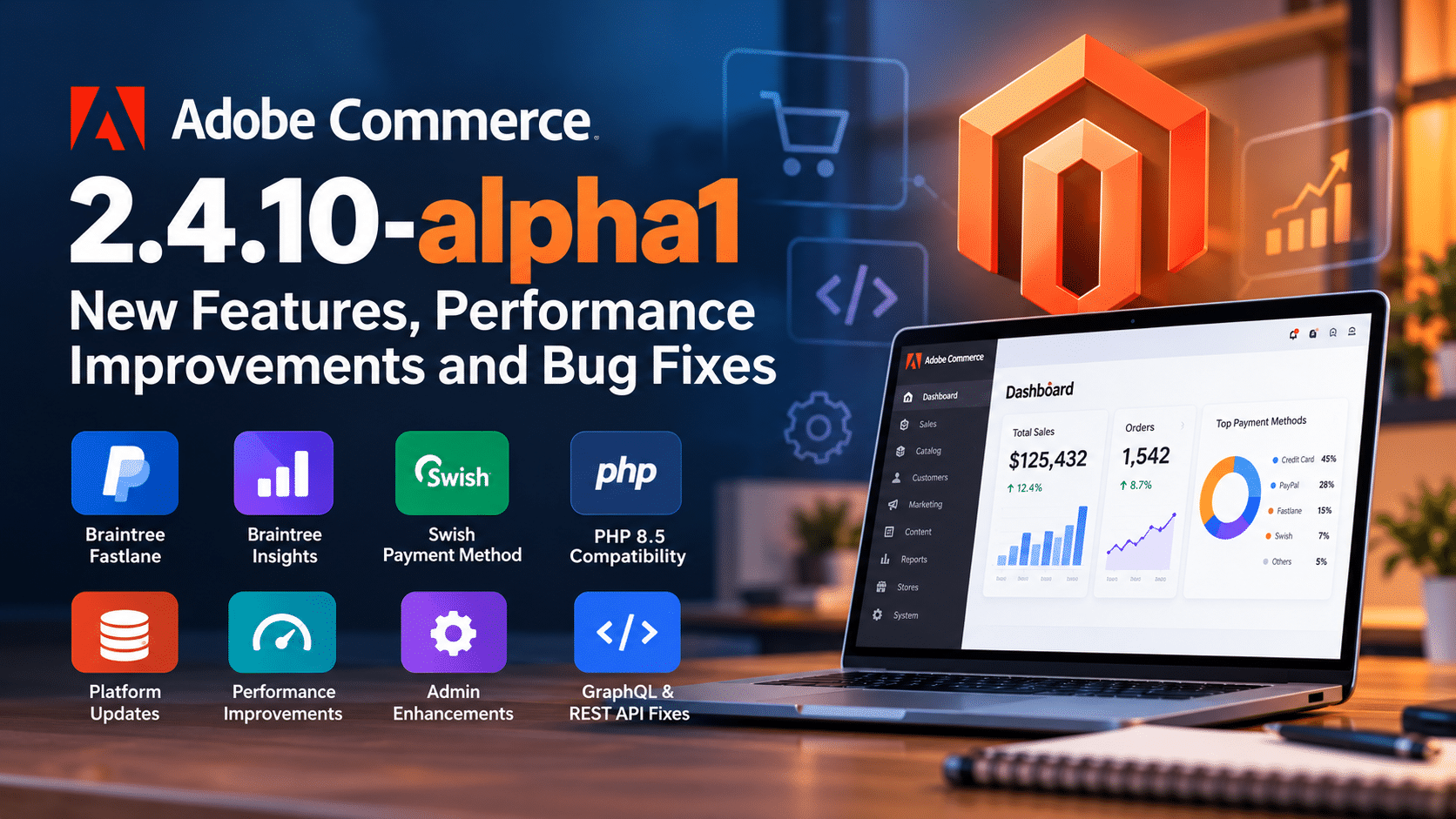
Adobe Commerce 2.4.10-alpha1 introduces several important changes for developers and merchants, including new Braintree payment capabilities, improvements to PHP 8.5 compatibility, updates to core JavaScript and PHP dependencies, caching optimizations, and fixes for issues affecting checkout, GraphQL, indexing, and administration.
The release also introduces a new Admin interface for managing country regions, improves B2B purchase order processing, and addresses several performance problems that can affect stores with large product catalogs or high transaction volumes.
But what do these changes actually mean for a Magento developer or an eCommerce business?
In this article, we will look at the most important Adobe Commerce 2.4.10-alpha1 changes, explain their practical implications, and identify what developers should test before planning an upgrade.
Important: Adobe Commerce 2.4.10-alpha1 is an alpha release. It is intended for evaluation and testing, not as a production upgrade recommendation. Features and compatibility details may change before the stable release.
Table of Contents
- Adobe Commerce 2.4.10-alpha1: Key Highlights
- New Braintree Payment Features
- PHP 8.5 Compatibility and Platform Dependency Updates
- Performance Improvements for Large Magento Stores
- Checkout and Cart Improvements
- GraphQL and REST API Fixes
- B2B Improvements
- New Country Region Management in Admin
- Security and Compatibility Improvements
- What Magento Developers Should Test
- Should You Upgrade to Adobe Commerce 2.4.10-alpha1?
- Frequently Asked Questions
1. Adobe Commerce 2.4.10-alpha1: Key Highlights
Adobe Commerce 2.4.10-alpha1 includes new payment capabilities, framework updates, and fixes across several core platform areas.
Here are the changes worth understanding first.
| Area | What’s changing | Why it matters |
|---|---|---|
| Payments | PayPal Fastlane, Braintree Insights, and Swish support | More checkout options and payment reporting capabilities |
| PHP compatibility | Multiple PHP 8.5 deprecation fixes | Fewer compatibility problems in affected code paths |
| Dependencies | Predis 3.x and updated JavaScript libraries | Requires compatibility checks for extensions and custom code |
| Performance | Improvements to indexing, dependency injection compilation, and caching | Potential efficiency gains in specific workloads |
| Checkout | Fixes for cart updates, configurable products, and order processing | More reliable purchasing workflows |
| GraphQL | Improvements to product queries, stock data, and cart handling | More predictable headless commerce integrations |
| B2B | ActiveMQ purchase order processing fixes | More reliable automated order conversion |
| Administration | Country region management | Less dependence on custom code for regional address data |
Adobe reports that 169 issues were fixed in the 2.4.10-alpha1 core code. The release notes describe a subset of those fixes, so this number should not be interpreted as an exhaustive list of every change.
2. New Braintree Payment Features
One of the most visible additions in Adobe Commerce 2.4.10-alpha1 is the expansion of payment functionality through the Braintree integration.
Three changes deserve attention.
2.1 PayPal Fastlane for faster guest checkout
Fastlane by PayPal is designed to simplify checkout, particularly for shoppers who do not want to enter their payment and shipping information every time they place an order.
According to the alpha release notes, the integration supports:
- Saving payment and shipping details with customer consent.
- Authenticating returning Fastlane customers using a one-time code.
- Retrieving previously saved information.
- Adding or changing saved cards and shipping addresses during checkout.
- Configuring Fastlane styling and related options.
Why this matters: Checkout friction can contribute to abandoned purchases. A faster checkout experience may help reduce the effort required to complete an order, especially for returning shoppers.
However, adding Fastlane does not automatically guarantee a higher conversion rate. Its impact depends on customer adoption, the checkout implementation, payment eligibility, and the merchant’s market.
What developers should test:
- Guest checkout and returning-customer flows.
- Payment authorization and order creation.
- Shipping address changes.
- Failed authentication and payment scenarios.
- Compatibility with custom checkout modules and payment extensions.
2.2 Braintree Insights for payment reporting
Braintree Insights adds centralized payment performance reporting inside Magento Admin.
The announced capabilities include reporting on transactions, settlements, declines, gateway rejections, and payment methods. Merchants can filter reports by website and date range, and view data at daily, weekly, or monthly intervals.
The release notes also describe importing up to 13 months of historical transaction data and retaining up to three years of transaction data through automated retention and cleanup processes.
Why this matters: Payment problems are not always caused by the storefront. Declining transactions, gateway rejections, and payment-method performance can also affect completed sales.
Centralized reporting can help merchants and technical teams investigate payment issues without relying entirely on separate reporting workflows.
Developers should validate the reporting configuration, historical data import, multi-website filtering, and retention behavior in a test environment.
2.3 Swish as a Swedish local payment method
The Braintree extension adds support for Swish, a local payment method used in Sweden.
Swish is displayed only when the required merchant, country, currency, and payment configuration conditions are met. The release also covers successful, cancelled, and failed payment flows.
For merchants selling internationally, local payment methods can be important because customer payment preferences differ by market.
Developers should test payment visibility rules, currency and country configuration, order status transitions, and failure handling before enabling the method for customers.
2.4 Braintree module upgraded to version 4.9.0
The Braintree module has been upgraded from 4.8.0 to 4.9.0.
Although the release notes report basic regression testing, stores with custom payment logic should still validate their own integrations. Payment extensions often interact with checkout customization, order management, refunds, and third-party services.
3. PHP 8.5 Compatibility and Platform Dependency Updates
PHP compatibility is one of the most important areas for Magento developers to monitor in this release.
Adobe Commerce 2.4.10-alpha1 includes fixes for several PHP 8.5 deprecation issues and updates multiple framework and frontend dependencies.
However, a PHP 8.5 compatibility fix does not mean every third-party extension is automatically compatible with PHP 8.5.
3.1 PHP 8.5 deprecation fixes
The alpha release notes identify several PHP 8.5-related fixes, including:
- A
chr()deprecation issue involving invalid byte values. - A customer login issue involving
array_key_exists()receiving a null key. - A category Admin error involving a null
frontend_inputvalue. - A null array offset issue affecting global design configuration.
- A static content deployment issue involving module LESS imports.
- An error when opening the Admin Add Product page for users with restricted product-status permissions.
These fixes address specific execution paths. They should not be interpreted as evidence that all PHP 8.5 deprecations have been eliminated.
Developer takeaway: When evaluating a PHP upgrade, test the complete application stack—not just whether Magento’s core bootstrap succeeds.
Include custom modules, payment and shipping integrations, cron jobs, indexers, CLI commands, deployment processes, and storefront checkout.
3.2 Predis upgraded from 2.x to 3.x
The release upgrades predis/predis from version 2.x to version 3.x.
Predis is a PHP client used to communicate with Redis-compatible services. The update is relevant to stores using Redis or compatible cache infrastructure.
Because this is a major dependency version change, developers should review custom integrations that directly use Predis APIs and test cache operations in the intended environment.
Do not assume that the dependency upgrade alone means an existing Redis or Valkey deployment is supported in every configuration.
3.3 JavaScript and frontend dependency updates
The release includes updates to several JavaScript libraries and build dependencies, including:
- Knockout.js: 3.5.1 to 3.5.3.
- Chart.js: 4.5.0 to 4.5.1.
- Less.js: 4.2.2 to 4.6.4.
- Uppy: 5.0.0 to 5.2.0.
- jQuery UI: 1.14.1 to 1.14.2.
- Underscore.js: 1.13.7 to 1.13.8.
imagemin-svgo: 9.0.0 to 12.0.0.glob: 11.0.0 to 13.0.0.serve-static: 1.16.2 to 2.2.1.
The release notes also describe updates to Grunt, ESLint-related packages, and other NPM dependencies.
These updates are relevant for frontend developers because Magento themes and custom modules can depend on the same libraries or build tooling.
For example, a project that modifies the frontend build process may encounter compatibility issues after a major version update, even when the underlying Magento storefront continues to load.
What should you check?
- Rebuild static assets from a clean development environment.
- Review custom Grunt tasks and frontend build scripts.
- Test Knockout-based components in the storefront and Admin.
- Check custom modules that depend on updated NPM packages.
- Review dependency audit results and resolve any remaining vulnerabilities.
The goal is not simply to update every package manually. It is to ensure that the versions required by the release, custom code, and extension vendors work together.
4. Performance Improvements for Large Magento Stores
Several changes in Adobe Commerce 2.4.10-alpha1 target performance and resource usage.
These are particularly relevant for stores with large catalogs, extensive customer data, frequent deployments, or heavy API traffic.
4.1 Faster dependency injection compilation
The release includes optimizations to dependency injection compilation, including caching reflection-class instantiations and reducing repeated interception configuration reads.
Magento’s setup:di:compile process builds the dependency injection configuration used by the application.
Reducing repeated reflection and XML parsing can improve compilation efficiency, particularly in large codebases.
However, the actual improvement depends on the number of modules, deployment environment, filesystem performance, and build configuration.
Developer action: Benchmark deployment and compilation times before and after the upgrade using the same environment and application code.
4.2 Improved indexing behavior
The release addresses multiple indexing issues, including:
- A catalog full-text reindexing process that could halt during execution.
- Indexers becoming stuck in a locking loop under a particular application-lock and file-lock configuration.
- A setup upgrade unexpectedly changing indexer modes from scheduled updates to save-on-save.
- Database locking pressure during indexer processing for large catalogs.
These changes matter because indexing problems can affect catalog freshness, product availability, pricing, and deployment time.
For example, if an indexer changes from scheduled updates to save-on-save, product changes may trigger more immediate indexing work, potentially affecting the time required to save products and the load on the database.
What developers should test:
- Full reindexing.
- Scheduled indexer execution.
- Product and category updates.
- Indexer recovery after failures.
- Indexer modes before and after
setup:upgrade. - Cron execution and queue processing.
Do not assume that an indexing improvement automatically resolves every performance problem. Custom indexers, database configuration, catalog size, and extension behavior can still be bottlenecks.
4.3 Reduced cache memory consumption for large catalogs
One performance improvement addresses excessive LAYOUT cache entries in Redis or Valkey.
Previously, separate layout cache entries could be generated for individual products across store views. The updated behavior allows entries to be shared across products with the same product type, attribute set, and store view.
For large catalogs, reducing unnecessary cache duplication can help control cache memory consumption.
The release also includes improvements to Symfony L2 Cache behavior, including a fix for cache-tag invalidation delays under certain configurations.
Important distinction: The release supports Symfony Cache as an explicitly configured alternative while retaining the existing Zend-based cache implementation as the default. Existing merchants using the default implementation do not need to switch cache systems simply because this feature is available.
Before changing cache configuration, measure memory use, cache hit rates, response times, and invalidation behavior in a representative environment.
4.4 Faster GraphQL URL resolution
The release fixes a performance issue in which the GraphQL route query could render full CMS page content, including Page Builder widgets and product collections, even when the client requested only routing information.
For headless storefronts, unnecessary rendering can increase database queries and response time.
This fix is valuable because API efficiency depends not only on network latency but also on the work the backend performs to generate a response.
Developers should benchmark the affected route query using realistic CMS content and confirm that the requested routing metadata remains correct.
4.5 Improved configurable-product checkout performance
The release addresses a checkout performance issue involving configurable products with many child products.
Certain checkout requests could become slower when the first salable child product appeared late in the list of child products.
The fix is intended to prevent this particular degradation, making response times less dependent on the position of the first salable child.
For stores with large configurable-product catalogs, test products with different child counts and stock configurations rather than benchmarking only simple products.
5. Checkout and Cart Improvements
Checkout reliability is directly connected to revenue. Several fixes in this release address situations where the cart, order, or customer experience did not behave as expected.
5.1 Guest mini-cart synchronization
A guest shopper could successfully add a product to the cart while the mini-cart still appeared empty.
The fix ensures that the mini-cart counter and dropdown reflect the persisted cart contents correctly.
This is important because the mini-cart provides immediate feedback after a customer adds a product. If it appears empty, shoppers may repeat the action, abandon the process, or assume the store is broken.
Developers should test guest and logged-in carts, AJAX add-to-cart behavior, and customer-data section updates.
5.2 Cart totals recalculation
The release includes an optimization to avoid unnecessary repeated cart-total calculations on cart page views.
Cart totals can involve product prices, discounts, taxes, shipping, and other adjustments. Repeated calculations can add work to an already important part of the purchasing journey.
The practical impact should be measured through request timing, database activity, and checkout regression tests.
5.3 Configurable-product checkout requests
The release addresses performance degradation in requests such as totals-information and shipping-method estimation for configurable products with many child products.
This is especially relevant when a catalog contains complex product variations and inventory rules.
Test shipping estimation, totals updates, quantity changes, and out-of-stock child products with representative catalog data.
5.4 Persistent cart behavior
A fix addresses persistent carts being cleared when a browser session expires under the configuration Clear Persistence on Log Out = Yes.
Previously, session expiry could clear the persistent cart even when the customer had not explicitly logged out.
Developers should test session expiry, customer login, logout, cart restoration, and the interaction between persistent cart settings and custom session handling.
5.5 Additional checkout fixes
Other changes address:
- Incorrect shipping address company data in multi-store setups.
- Duplicate orders in a specific invalid-address scenario.
- Guest checkout retries using an outdated email address.
- Incorrect free-shipping flags for virtual products.
- Missing stock-unavailability messages on product pages.
- Inaccurate tax calculations for configurable-product invoices and credit memos.
- Duplicate order confirmation emails from concurrent cron workers.
- Shipping discount rule calculation behavior.
- Accessible error announcements for AJAX add-to-cart failures.
These are not all performance improvements. Some are correctness, data integrity, and accessibility fixes.
For merchants, they reinforce why upgrade testing should cover the entire purchase lifecycle, from adding a product to the cart through payment, order confirmation, invoicing, and refunds.
6. GraphQL and REST API Fixes
Adobe Commerce APIs are central to headless storefronts, mobile applications, ERP integrations, marketplace connections, and external order-management systems.
The 2.4.10-alpha1 release includes fixes across REST and GraphQL.
6.1 REST API product attribute updates
The REST API can now update an existing product attribute using the attribute code in the request URL without requiring attribute_id in the request payload for the affected operation.
This improves consistency for integrations that identify attributes by their codes.
Developers should still verify the exact endpoint contract, permissions, and payload expected by their integration.
6.2 Bulk tier-price updates
Previously, a bulk tier-price update could fail entirely when one SKU did not exist.
The updated behavior processes valid SKUs and reports missing SKUs as individual errors.
This is useful for large catalog synchronization jobs because one invalid item should not necessarily prevent valid records from being processed.
Integration developers should inspect per-item error responses and ensure failed records are retried or reported appropriately.
6.3 Product price validation
The release fixes a discrepancy where the REST API accepted negative values for price-related attributes while the Admin UI blocked them.
The updated import behavior rejects negative values for applicable price-type attributes.
This illustrates an important API design principle: server-side validation must enforce data integrity regardless of whether data originates from the Admin UI, an API client, or an automated import process.
6.4 GraphQL stock quantity
A fix addresses cases where the GraphQL product query returned a null quantity for an in-stock product on a custom MSI stock.
The updated logic resolves saleable quantity before applying the relevant configuration check.
This matters for headless storefronts because incorrect stock data can lead to misleading availability messages, disabled purchase controls, or unnecessary customer support requests.
Developers should test products across multiple sources and stocks, including unavailable products and store-scoped inventory settings.
6.5 Duplicate customer carts
Concurrent GraphQL customerCart requests or REST cart requests could create duplicate active carts for the same authenticated customer when no active cart existed.
The fix is intended to ensure that only one active cart is created in this scenario.
Concurrency issues can be difficult to reproduce in ordinary manual testing. Automated tests should issue simultaneous requests and verify the resulting cart state.
6.6 Other API improvements
The release also includes fixes for:
- Website-scoped customer token validation.
- GraphQL wishlist queries.
- Product custom attributes in
addProductsToCart. - Store and quote currency fields returning ISO currency codes.
- Bundle option pricing under website-scoped catalog price settings.
- GraphQL order-date formatting under certain locales.
- Product search validation and query batching.
- REST order-item product option data.
For developers, the key lesson is to test both successful responses and error cases, including concurrency, multiple websites, localized storefronts, and store-scoped configuration.
7. B2B Improvements
Adobe Commerce B2B merchants can benefit from fixes affecting purchase orders, negotiable quotes, and quote cleanup.
7.1 Purchase orders with ActiveMQ
The release addresses a problem where auto-approved purchase orders were not automatically converted into sales orders when ActiveMQ consumers were run through cron.
Messages could enter the queue but remain unprocessed unless the consumer was started manually.
The fix improves message processing for the affected configuration.
What to test: Create an auto-approved purchase order, run the configured cron and consumer workflow, and confirm that the order is created without requiring manual intervention.
Also verify failed-message handling and monitoring so that queue problems do not remain hidden.
7.2 Negotiable quote data
Fixes address missing bundle option prices after a negotiable quote is converted to an order and a null shipping total returned by the relevant quote-order API.
These changes improve the consistency of commercial information displayed to B2B customers and returned to integrations.
Test quote creation, approval, conversion, order totals, shipping charges, and the display of bundle options.
7.3 Cleaning large quote tables
The release addresses performance problems in the sales_clean_quotes cron job for installations with very large quote tables.
The previous behavior could involve unnecessarily expensive database sorting and individual record deletion. Other fixes address timeouts and memory exhaustion during quote cleanup.
This is particularly relevant to long-running B2B installations where quote tables can grow substantially.
Developers should measure cleanup duration, memory consumption, database load, and the number of expired quotes processed in each run.
8. New Country Region Management in Admin
One of the most practical administrative changes is the ability to manage country sub-regions, such as states and provinces, directly from Magento Admin.
The new functionality allows administrators to:
- View, add, edit, deactivate, and remove eligible regions.
- Update region names and ISO codes.
- Make new regions available in checkout and address forms.
- Preserve historical references when regions are already used by orders, addresses, or tax rules.
Previously, adding or modifying regional address data could require more technical intervention, depending on the requirement and existing implementation.
This feature can simplify administration for businesses operating in multiple countries.
However, region data can influence address validation, tax rules, shipping eligibility, and external integrations. Changes should be tested carefully, especially when existing customer and order records reference the affected regions.
9. Security and Compatibility Improvements
The alpha release contains several security-related and compatibility-focused changes.
Examples include:
- Updating Underscore.js to address an upstream security vulnerability.
- Modernizing additional NPM dependencies.
- Fixing a frontend JavaScript template issue involving dynamic DOM content.
- Improving validation for customer address file-upload attributes.
- Enforcing order API rate limits when Valkey is used as the cache backend.
- Fixing a cross-website customer-token validation issue.
- Rejecting invalid negative price values through the affected REST import flow.
These changes are useful, but upgrading to an alpha release should not be treated as a substitute for applying the appropriate security patches to a production store.
For existing stores, developers should review Adobe’s applicable security advisories, confirm the installed version’s exposure, and prioritize supported security updates.
Security testing should also include custom modules, third-party extensions, API authentication, file uploads, access control, and rate-limiting behavior.
10. What Magento Developers Should Test Before an Upgrade
Reading release notes is only the first step. The next step is to understand how the changes interact with the store’s specific codebase and infrastructure.
Use the following checklist when evaluating Adobe Commerce 2.4.10-alpha1.
Platform and deployment
- Confirm the exact PHP and service versions supported by the intended release.
- Review Composer dependency constraints and third-party module compatibility.
- Run dependency installation and compilation in a disposable test environment.
- Test static content deployment and database schema/data upgrades.
- Check deployment behavior on the actual filesystem and hosting configuration.
Catalog and indexing
- Test full and scheduled reindexing.
- Verify product search and category updates.
- Check configurable and bundle product stock behavior.
- Validate catalog pricing, tier pricing, and website-scoped prices.
- Measure memory use and indexing duration on representative catalog data.
Checkout and payments
- Test guest and registered customer checkout.
- Validate cart restoration and persistent-cart behavior.
- Test payment authorization, failure, cancellation, and refund scenarios.
- Verify shipping rates, tax totals, discounts, and order confirmation emails.
- Test configurable products with large numbers of variations.
APIs and integrations
- Test REST and GraphQL authentication.
- Validate product, inventory, cart, and order API responses.
- Test multi-website and store-scoped configurations.
- Run concurrency tests for cart creation and other sensitive operations.
- Verify queues, cron jobs, and external integrations.
Performance and operations
- Benchmark storefront response times and checkout requests.
- Measure Redis or Valkey memory consumption.
- Check cache invalidation and warm-up behavior.
- Review application logs for PHP deprecations and exceptions.
- Verify backups, rollback procedures, and deployment recovery.
A good upgrade test is based on measurable results, not simply whether the homepage loads.
For a meaningful comparison, use the same dataset, traffic pattern, infrastructure, and test scenarios before and after the change.
11. Should You Upgrade to Adobe Commerce 2.4.10-alpha1?
For a production store, my recommendation is to wait for a suitable stable release rather than upgrade to the alpha version.
Alpha releases are useful for developers who want to evaluate upcoming changes, test custom modules, identify compatibility problems, and provide feedback before a stable release becomes available.
For production merchants, the decision should be based on the officially supported release, security requirements, extension compatibility, and the business value of upgrading.
Consider the following approach:
If you are a Magento developer: Set up a disposable development environment and evaluate the changes that affect your custom modules and infrastructure.
If you maintain an existing Adobe Commerce store: Review your current version’s support and security status, inventory your extensions, and prepare an upgrade test plan.
If you operate a large eCommerce business: Focus first on the operational risks that matter most to your store, such as checkout reliability, indexing, inventory consistency, API integrations, and deployment downtime.
Do not upgrade simply because a new version exists. Upgrade when the release, compatibility requirements, security needs, and test results justify the investment.
12. Frequently Asked Questions
What is new in Adobe Commerce 2.4.10-alpha1?
The alpha release introduces Braintree payment enhancements, including PayPal Fastlane, Braintree Insights, and Swish support. It also includes PHP 8.5 compatibility fixes, dependency updates, performance improvements, new Admin region management capabilities, and fixes across checkout, GraphQL, REST APIs, and B2B workflows.
Is Adobe Commerce 2.4.10-alpha1 stable?
No. It is an alpha prerelease. It should be evaluated in a development or testing environment rather than treated as a production-ready stable release.
Does Adobe Commerce 2.4.10-alpha1 support PHP 8.5?
The release notes document multiple PHP 8.5 compatibility fixes. However, the complete supported PHP version matrix and compatibility requirements should be verified against Adobe’s official documentation for the exact release. Third-party extensions and custom code must be tested separately.
Does Magento 2.4.10 improve performance?
The alpha release includes targeted improvements to dependency injection compilation, indexing, caching, GraphQL URL resolution, configurable-product checkout requests, and quote cleanup. The actual impact will depend on the workload, infrastructure, and application implementation.
What is the difference between Magento Open Source and Adobe Commerce?
Magento Open Source is the open-source edition of the Magento platform. Adobe Commerce is Adobe’s commercial commerce platform and includes additional enterprise-oriented capabilities. Feature availability and release requirements should be checked for the specific edition being evaluated.
Should existing Magento stores prepare for version 2.4.10?
Yes, preparation can be useful even before a stable release is available. Review extension compatibility, PHP requirements, infrastructure dependencies, customizations, and upgrade testing procedures. Do not treat the alpha release as a reason to upgrade production prematurely.
Final Thoughts
Adobe Commerce 2.4.10-alpha1 is not just a collection of new features. It also contains many smaller corrections to the systems that developers rely on every day: indexing, checkout, API responses, caching, dependency management, and order processing.
Some of the most valuable changes may be the ones shoppers never notice directly. More reliable cart behavior, accurate inventory responses, consistent order data, and fewer operational bottlenecks can make a meaningful difference to an eCommerce business.
For developers, the best next step is to identify the changes that affect their own projects, test those areas systematically, and monitor Adobe’s official release documentation as the release progresses.
Official reference: Adobe Commerce 2.4.10-alpha1 Release Notes